Activate Tables Menu in Instrument index of INtools

D

Thread Starter

dovestar

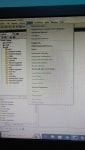
How can I activate the tables menu in SmartPlant Instrumentation?

I started the instrument index modules successfully. When I click tables, the menu items like instrument types, I/O types, etc... are grayed out so I cannot select them. How can I resolve this?

I am using SPI 2013 with MSSQL server 2010 on my laptop.
 
How can I activate the tables menu in SmartPlant Instrumentation?

I started the instrument index modules successfully. When I click tables, the menu items like instrument types, I/O types, etc... are grayed out so I cannot select them. How can I resolve this?

I am using SPI 2013 with MSSQL server 2010 on my laptop.
Have you found the solution to the problem
 
How can I activate the tables menu in SmartPlant Instrumentation?

I started the instrument index modules successfully. When I click tables, the menu items like instrument types, I/O types, etc... are grayed out so I cannot select them. How can I resolve this?

I am using SPI 2013 with MSSQL server 2010 on my laptop.
Have you found the solution to the problem
 
You should have access to the administration module to grant permissions. If not, your SPI administrator should be able to assist you.
 
I started the instrument index modules successfully. When I click tables, the menu items like instrument types, I/O types, etc... are grayed out so I cannot select them. How can I resolve this?

I am using SPI 2013 with MSSQL server 2010 on my laptop.
 
Top