APL in Pactware

How do you access an APL device in Pactware via FDI package? TMT86 connected to a P&F APL switch. Pactware sees the APL switch etc but wont let me add TMT86 FDI package, some error relating to child DTM not allowed?
Is it possible to access the FDI for the TMT86 via Pactware?
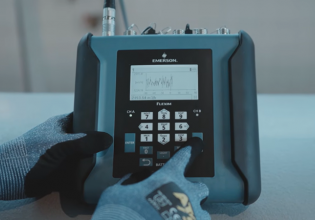
 
There are different ways to access an APL device, below copied and pasted an explanation. Basically, if you want to use an FDT/DTM software download DeviceCare (free, but just for E+H devices) or FieldCare (all manufacturers, for a fee) from E+H website instead of Pactware. The easiest way though is getting access via standard browser to the web server of the device

à There are different options how to access the device. It also depends on the device type. The manuals of the devices provide a detailed overview.
With the Ethernet protocol PROFINET, the basic configuration typically takes place via the GSD file.
All Endress+Hauser APL devices have an embedded webserver which can be accessed easily via the IP-address and a webbrowser. The webserver provides access to all relevant parameters for device configuration, diagnostic insights, and further functionalities like Heartbeat Verification Report.
With the standard asset management tools like Endress+Hauser FieldCare or Siemens PDM, the device configuration is supported. For this, a device driver called FDI Package is available. The FDI package combines best of well-known EDD technology and FDT/DTM technology. In the Endress+Hauser asset management tools, e.g. FieldCare, the device drivers are part of the Package and DTM Library.
Each device has a second physical interface for local service connection via CDI protocol. Most devices have the serial 4-pin connector which can be used in combination with the CDI Service Box FXA291. By this the access is possible via DeviceCare, FieldXpert or FieldCare.
Further device specific interfaces like Bluetooth and the Local Display are available.
 
Top