Facebook
 Google
 GitHub
 Linkedin
Hey
You may have read this ( Ge WorkstationST opc da to Third-party opc da client | Automation & Control Engineering Forum ) by me early this year, if not then it's not too much important.
this is my journey to understand the EGD, and the SDI protocols used by the ToolboxST and UCSA controller, I think it is the same for UCSB controller, I don’t have access to another types of controllers, anyway...
The EGD:
I have used several resources to better understand the EGD protocol header, like this full EGD header image in this repo (https://github.com/rbmafra/Ultimate-Ethernet-Global-Data-Simulator), I also used Wireshark (Wireshark is a software to capture any data of any protocol packet from a network adapter, also USB and maybe other stuff. Anyway) to better understand the EGD, after I have understood it, I tried to use my basic C# skills to write basic HMI to get data from the controller like speed, exh, Hz, volts...etc.
I did it, and I was happy, cause I did get some data from the controller while not using any GE software, anyway, my new wall now is how to write data to controller, like to set (master reset) to true or set mwatt reference to certain value...etc, so I also used Wireshark (it is my best friend now), when you work with Wireshark it will show you everything single traffic on the network adapter you selected, so when I opened the ethernet network adapter im connecting my pc to the mark vie controller simulator (I have some skills in reverse engineering and IDA software to make it work without any license..etc.) I see tons of data in each second, so I tried to send some values from HMI like (master reset) to the controller, and hope I’ll catch it, so start capture the data and sending values to (pre select mw setpoint) a several times, stopped the capturing and then start searching for anything is different than just EGD packet or just nonsense data, any way I was lucky enough to get the packet and since I know my (mw setpoint) address in the EGD, the value I was sending, so after several attempts I was able to understand how the hmi (cimplicity via opc da ) is sending data to the controller, I still don’t know how the OPC da works and how it convert EGD to OPC and vice versa..etc., but I managed to get data as read only from the EGD، and then write data to the. Controller, later I found this thing (link to the EGD from probus pdf), it didn't add anything to me from a practical point of view but now I know there is something named (ICMP) in this universe used to write the data via EGD to the controller.
Typical header to send to the controller to set float value in a EGD page
Offset SIZE Value des
0 1 0x22 content to write bytes/PDU type
1 1 0x45 constant for write
2 2 SequenceNumber Sequence number (big-endian)
4 1 0x01 constant/PVN1
5 1 0x08 constant/Protocol version/type IDK
6 2 0x3000 Constant/Command code (big-endian) IDK
8 2 major_sig Major signature (big-endian) from
ProducedData.xml
10 2 0x0001 constant IDK
12 4 ipAddrBytes Destination IP (little-endian) / Controller IP
16 4 egd_xid EGD XID (little-endian) from SymbolTable.xml
20 8 DateTime Timestamp (big-endian, 64-bit) .time at writing
28 4 conf_time_stamp Config timestamp (little-endian) from
ProducedData.xml
32 1 0x01 constant
33 1 0x08 constant
34 2 0xdfbe constant (big-endian)
36 4 0x9b929691 constant (big-endian)
40 2 byte_addr Address in target (little-endian) from
SymbolTable.xml
42 2 num_byte Number of bytes (little-endian, usually 4),
depends on the variable type (int =2,real=4,bool=1)
44 4 Value Float value (little-endian, IEEE 754)
For Int variable it is the same, but with bool it is more complicated, this file helped me a little bit “EGD Prolinx Gateway, GE Ethernet Global Data from ProSoft”, you can easily find it on the internet (or this is what I think)
And did use the same HMI I crated via c#, .net and MAUI, it is not the best approach to build HMI, but I’m happy , but here is the bright side of MAUI and c#, my app now works even on my tablet and did connect it to the mark vie controller (a real one) and did do a master reset and manual FSR setpoint *_* (the feeling is fabulous, my English know no words to describe my feelings back then)
SDI:
Figuring out there is something called SDI in the first place is a task was for me, I didnt know that thing even exists till I hit it while trying to know how to force value without the need of ToolboxST or whatever GE offers.
It was the hard one, I did use the same approach, send some values from the toolboxst to the controller (force a variable to certain value), I tried to force several types to insure my examination of the wireshark captured packets was correct, I tried bool,int and real variables, I was able to get the packets that shows me what the force variable is sending over the ethernet but there is one two packets that is a big mystery to me at that time.
The SDI is TCP protocol not like the EGD(UDP), the ToolboxST try to connect and says I’m connecting to you Mr. Controller, then the controller sends a key, after some deep inspection using dnspy (software used to break down .net compiled code back to basic C#/VB code) I did managed to understand how the ToolboxST handles the key and where it taking it to and how to use it again.
The key consisted of 8 bytes, then the ToolboxST take this key, pass it to a specific. Dll file named (GEUtilsW32.dll) which is no more than a library of methods used to handle the key generated by the controller, the key was changing each time I connect to it via the TCP, so again using the reverse engineering software (IDA) and search for the specific function that handles the key generated by the UCSA controller (I think UCSB is handled by another function in the same dll file), and try to understand it but failed ultimately, so I used IDA to generate C++ Pseudocode of the function that handles the key and return the decrypted/encrypted version of it(idk what this function do, is it encryption or decryption). Anyway since I’m using C# to build my own HMI, so I did converted that C++ code of the key handle function to C# code line by line, ignoring what it does, I just want to see the result, so it worked and I was able to get the key from the controller, pass it to my new C# alternative function of "key handle function in the GEUtilsW32.dll" and get the answer to that key and resend it to the controller and the controller was like "ok, you can enter now and do whatever you want", so I then tried to understand how to unforce variable and did very well and fast of getting it to work.
Anyway, after many attempts I successfully understood how the force variable function works and how to remove the force, how to get all the forced variables and how to get variables value via SDI not EGD
Example of the SDI header
Get variable value via SDI: All numbers are in hexadecimal, little endian
02000000; SDI msg type
00000000; user context, always zeros
18000000; buffer length
01000000; num of vars
01000000; get attributes; true or false,
7b004001; address of the variable
You can get the address of the variable either by exploring the project files and finding the SymbolTable.xml if the variable is added to the EGD pages, or GeSymbolTable.xml if the variable is not added to the EGD pages
**********
This is my journey and I am not done yet, I want to fully understand how this GE UCSA/B works at the atomic level ^_^
note: I Forgot to mention the ports to EGD are 7937 for write, 18246 to read and 5311 is for the SDI connections.
this is a prototype for the FORCE command using a simple ToolboxST project and a MarkVIe simulator, and some notes maybe will you can make use of them for better understand the SDI, the notes ARE NOT A SOURCE FOR INFORATION they are only NOTES I wrote them when working on deciphering (or whatever you call it) the force and remove force commands, you may see errors and some info are missing….etc.
This simple program is written in C# as a console program, make sure you are running a MarkVIe simulator before trying to use it, it will not work without a simulator, and fail to generate the key to connect to a real controller.
Erwin-coder/SDI_GSM_TESTS
I’ll try soon (I’m not promising) to show how to write data to the EGD via another GitHub repo, and how to connect to a real controller via SDI.
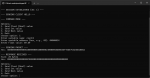
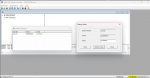
these some screenshots of the app with the simulator
You may have read this ( Ge WorkstationST opc da to Third-party opc da client | Automation & Control Engineering Forum ) by me early this year, if not then it's not too much important.
this is my journey to understand the EGD, and the SDI protocols used by the ToolboxST and UCSA controller, I think it is the same for UCSB controller, I don’t have access to another types of controllers, anyway...
The EGD:
I have used several resources to better understand the EGD protocol header, like this full EGD header image in this repo (https://github.com/rbmafra/Ultimate-Ethernet-Global-Data-Simulator), I also used Wireshark (Wireshark is a software to capture any data of any protocol packet from a network adapter, also USB and maybe other stuff. Anyway) to better understand the EGD, after I have understood it, I tried to use my basic C# skills to write basic HMI to get data from the controller like speed, exh, Hz, volts...etc.
I did it, and I was happy, cause I did get some data from the controller while not using any GE software, anyway, my new wall now is how to write data to controller, like to set (master reset) to true or set mwatt reference to certain value...etc, so I also used Wireshark (it is my best friend now), when you work with Wireshark it will show you everything single traffic on the network adapter you selected, so when I opened the ethernet network adapter im connecting my pc to the mark vie controller simulator (I have some skills in reverse engineering and IDA software to make it work without any license..etc.) I see tons of data in each second, so I tried to send some values from HMI like (master reset) to the controller, and hope I’ll catch it, so start capture the data and sending values to (pre select mw setpoint) a several times, stopped the capturing and then start searching for anything is different than just EGD packet or just nonsense data, any way I was lucky enough to get the packet and since I know my (mw setpoint) address in the EGD, the value I was sending, so after several attempts I was able to understand how the hmi (cimplicity via opc da ) is sending data to the controller, I still don’t know how the OPC da works and how it convert EGD to OPC and vice versa..etc., but I managed to get data as read only from the EGD، and then write data to the. Controller, later I found this thing (link to the EGD from probus pdf), it didn't add anything to me from a practical point of view but now I know there is something named (ICMP) in this universe used to write the data via EGD to the controller.
Typical header to send to the controller to set float value in a EGD page
Offset SIZE Value des
0 1 0x22 content to write bytes/PDU type
1 1 0x45 constant for write
2 2 SequenceNumber Sequence number (big-endian)
4 1 0x01 constant/PVN1
5 1 0x08 constant/Protocol version/type IDK
6 2 0x3000 Constant/Command code (big-endian) IDK
8 2 major_sig Major signature (big-endian) from
ProducedData.xml
10 2 0x0001 constant IDK
12 4 ipAddrBytes Destination IP (little-endian) / Controller IP
16 4 egd_xid EGD XID (little-endian) from SymbolTable.xml
20 8 DateTime Timestamp (big-endian, 64-bit) .time at writing
28 4 conf_time_stamp Config timestamp (little-endian) from
ProducedData.xml
32 1 0x01 constant
33 1 0x08 constant
34 2 0xdfbe constant (big-endian)
36 4 0x9b929691 constant (big-endian)
40 2 byte_addr Address in target (little-endian) from
SymbolTable.xml
42 2 num_byte Number of bytes (little-endian, usually 4),
depends on the variable type (int =2,real=4,bool=1)
44 4 Value Float value (little-endian, IEEE 754)
For Int variable it is the same, but with bool it is more complicated, this file helped me a little bit “EGD Prolinx Gateway, GE Ethernet Global Data from ProSoft”, you can easily find it on the internet (or this is what I think)
And did use the same HMI I crated via c#, .net and MAUI, it is not the best approach to build HMI, but I’m happy , but here is the bright side of MAUI and c#, my app now works even on my tablet and did connect it to the mark vie controller (a real one) and did do a master reset and manual FSR setpoint *_* (the feeling is fabulous, my English know no words to describe my feelings back then)
SDI:
Figuring out there is something called SDI in the first place is a task was for me, I didnt know that thing even exists till I hit it while trying to know how to force value without the need of ToolboxST or whatever GE offers.
It was the hard one, I did use the same approach, send some values from the toolboxst to the controller (force a variable to certain value), I tried to force several types to insure my examination of the wireshark captured packets was correct, I tried bool,int and real variables, I was able to get the packets that shows me what the force variable is sending over the ethernet but there is one two packets that is a big mystery to me at that time.
The SDI is TCP protocol not like the EGD(UDP), the ToolboxST try to connect and says I’m connecting to you Mr. Controller, then the controller sends a key, after some deep inspection using dnspy (software used to break down .net compiled code back to basic C#/VB code) I did managed to understand how the ToolboxST handles the key and where it taking it to and how to use it again.
The key consisted of 8 bytes, then the ToolboxST take this key, pass it to a specific. Dll file named (GEUtilsW32.dll) which is no more than a library of methods used to handle the key generated by the controller, the key was changing each time I connect to it via the TCP, so again using the reverse engineering software (IDA) and search for the specific function that handles the key generated by the UCSA controller (I think UCSB is handled by another function in the same dll file), and try to understand it but failed ultimately, so I used IDA to generate C++ Pseudocode of the function that handles the key and return the decrypted/encrypted version of it(idk what this function do, is it encryption or decryption). Anyway since I’m using C# to build my own HMI, so I did converted that C++ code of the key handle function to C# code line by line, ignoring what it does, I just want to see the result, so it worked and I was able to get the key from the controller, pass it to my new C# alternative function of "key handle function in the GEUtilsW32.dll" and get the answer to that key and resend it to the controller and the controller was like "ok, you can enter now and do whatever you want", so I then tried to understand how to unforce variable and did very well and fast of getting it to work.
Anyway, after many attempts I successfully understood how the force variable function works and how to remove the force, how to get all the forced variables and how to get variables value via SDI not EGD
Example of the SDI header
Get variable value via SDI: All numbers are in hexadecimal, little endian
02000000; SDI msg type
00000000; user context, always zeros
18000000; buffer length
01000000; num of vars
01000000; get attributes; true or false,
7b004001; address of the variable
You can get the address of the variable either by exploring the project files and finding the SymbolTable.xml if the variable is added to the EGD pages, or GeSymbolTable.xml if the variable is not added to the EGD pages
**********
This is my journey and I am not done yet, I want to fully understand how this GE UCSA/B works at the atomic level ^_^
note: I Forgot to mention the ports to EGD are 7937 for write, 18246 to read and 5311 is for the SDI connections.
this is a prototype for the FORCE command using a simple ToolboxST project and a MarkVIe simulator, and some notes maybe will you can make use of them for better understand the SDI, the notes ARE NOT A SOURCE FOR INFORATION they are only NOTES I wrote them when working on deciphering (or whatever you call it) the force and remove force commands, you may see errors and some info are missing….etc.
This simple program is written in C# as a console program, make sure you are running a MarkVIe simulator before trying to use it, it will not work without a simulator, and fail to generate the key to connect to a real controller.
Erwin-coder/SDI_GSM_TESTS
I’ll try soon (I’m not promising) to show how to write data to the EGD via another GitHub repo, and how to connect to a real controller via SDI.
these some screenshots of the app with the simulator