 Facebook
 Google
 GitHub
 Linkedin
Fluke Adds Automated Workflows and Equipment Tracking to CalStudio
The CalStudio release brings no-code workflow automation, shared tools management, and enhanced asset visibility to calibration laboratories.
Fluke has expanded CalStudio with new automation and asset management capabilities for calibration laboratories, metrology teams, and service organizations. The cloud-based platform is designed to help labs manage procedures, records, customer requests, equipment, and business system connections without relying on custom software development.
The CalStudio update targets laboratories dealing with disconnected systems, manual processes, compliance pressures, or limited staffing. This focus distinguishes its intended audience from typical factory-floor automation users. Rather, it is designed for calibration labs and the teams responsible for managing test equipment, procedures, customer requests, calibration records, and asset traceability.
CalStudio already combines several functions into one platform, including laboratory information management, procedure authoring and execution, and workflow management. The latest release builds on that foundation by adding more automation around the systems and equipment used every day.
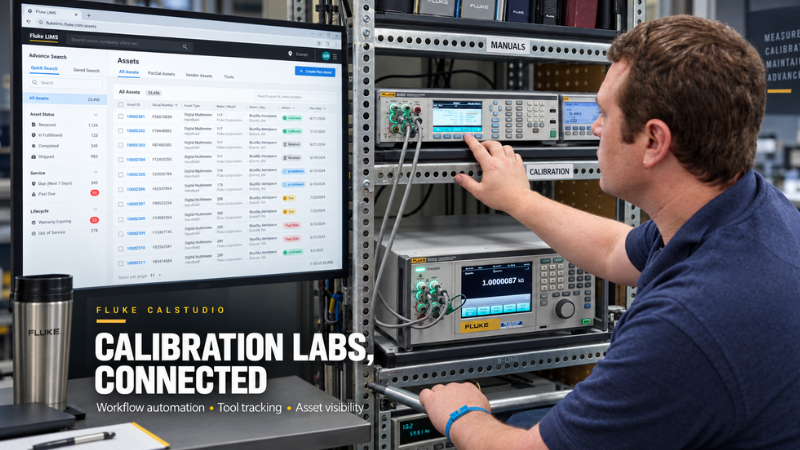
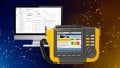
Fluke’s latest CalStudio release adds workflow automation, tool tracking, and asset visibility features for calibration laboratories. Base image courtesy of Fluke | Graphic courtesy of the author
Connecting Calibration Data Across Systems
Instead of requiring a lab to replace existing business systems, Conduit is designed to connect CalStudio with the tools an organization already uses. That can include enterprise systems such as SAP or Oracle, along with other business applications used for approvals, communication, asset records, and operational tracking.
The idea is to reduce the amount of manual handoff between calibration software and the rest of the organization. In many labs, technicians and administrators still spend time copying information between systems, sending status updates, checking approvals, or manually updating due dates. Those steps may not be technically difficult, but they are slow, repetitive, and prone to errors.
With Conduit, laboratories can automate approvals, synchronize data, enforce business rules, and trigger actions based on calibration events. One example from Fluke is an out-of-tolerance result. When a calibration job is completed and a device is found to be out of tolerance, CalStudio can automatically send an email notification to the customer.
Another example is equipment returned from calibration. CalStudio can update a business system with the equipment’s next calibration due date, keeping records current without requiring manual data entry. That is the real value of the release. It is not just software automation for its own sake. It is aimed at the weak spots in lab operations where small manual tasks pile up and slow down turnaround time.
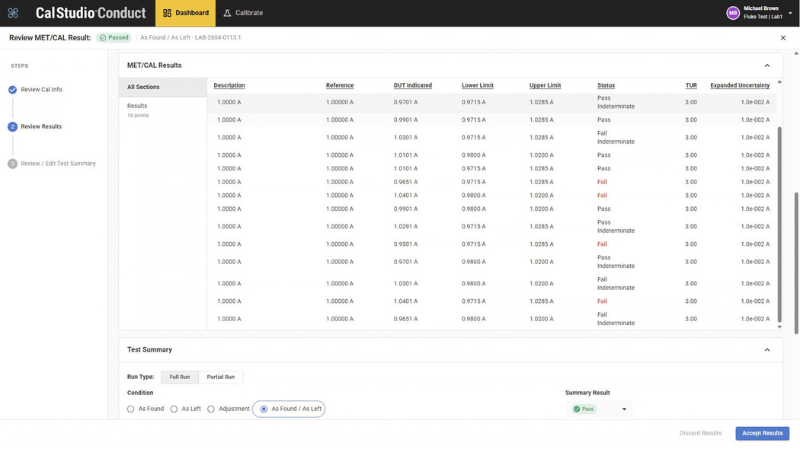
CalStudio supports integration with MET/CAL, allowing users to launch procedures and sync results directly through MET/CONNECT. Image courtesy of Fluke
Tool Tracking and Asset Visibility
The release also adds Tool Crib, a feature built to help laboratories manage shared tools and test equipment. In calibration environments, equipment often moves between benches, technicians, storage areas, and job locations. When there is no clear record of who has a tool or when it is due back, technicians can lose time searching for equipment and jobs can be delayed. Tool Crib gives organizations visibility into who has equipment, tracks checkout history, and monitors when items are due back.
Fluke also added Advanced Location Asset Management, which provides more detailed tracking across facilities, buildings, rooms, and storage locations. Together, these features help labs manage both ownership and location, reducing the likelihood that critical equipment becomes unavailable simply because no one knows where it is.
CalStudio also includes an asset library with data from 800,000 common assets, helping users fill in work orders faster when managing large numbers of instruments or test devices.
Procedure Authoring and Lab Workflow
The release also includes enhancements to procedure authoring and the overall user experience. CalStudio includes built-in procedure authoring software, allowing authorized users to create and publish calibration procedures without needing to code. Those procedures can then sync into technician workflows.
For calibration labs, procedure quality and consistency are central to the job. A calibration process has to be repeatable, documented, and traceable. Making procedure creation easier can reduce administrative work while helping technicians follow the correct steps during execution.
The platform also supports reporting needs, including custom certificates, calibration stickers, asset tags, travelers, and labels. That reduces the need for a separate reporting tool and keeps more of the calibration record inside the same system.
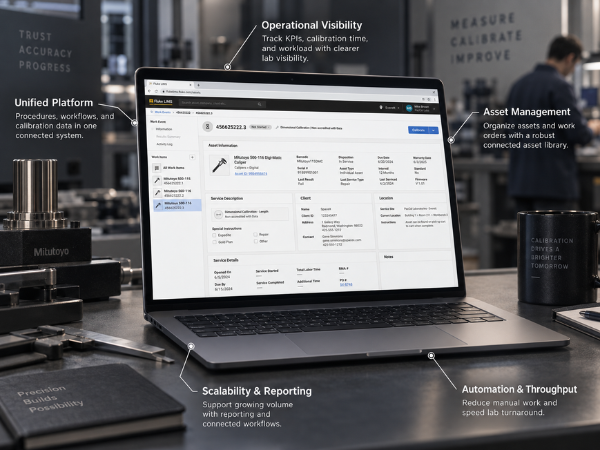
CalStudio is designed to give calibration labs a connected view of procedures, workflows, assets, reporting, and operational performance from a single cloud-based platform. Base image courtesy of Fluke | Graphic courtesy of the author
Built for Lab Management, Not Just Measurement
Fluke is positioning CalStudio as a comprehensive calibration lab management platform rather than a single-function tool. The software is designed to help labs manage customer requests, write and execute procedures, record results, report outcomes, and monitor overall performance.
The platform also includes dashboard and KPI tools for tracking metrics such as calibration time and volume. That gives lab managers a clearer view of throughput, workload, and performance trends. For organizations trying to reduce turnaround times or scale calibration volume, that visibility can be as important as the procedure tools themselves.
CalStudio also supports integration with MET/CAL, allowing users to upload and launch MET/CAL procedures and connect results through MET/CONNECT. Fluke also highlights OptiCal, which captures readings from a display using a standard webcam, reducing the need for specialized cameras or device-specific setups.
For calibration laboratories under pressure to handle more work with fewer resources, the latest CalStudio release gives Fluke a stronger software layer around the full lab operation, from workflow automation and procedure execution to tool tracking, asset visibility, and reporting.
Related Content