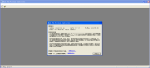
The error message is as shown in the figure,I have tried many different versions of msvcr.dll but it still doesn't work.Please help me, this is very important to me, thank you.
Look for a "Cancel" button in the dialog container or window the place you are triggered to create a program. Clicking "Cancel" will commonly exit the process.
Close the Window:
If there is no "Cancel" button, you can attempt closing the window through clicking the "X" at the top-right nook of the window.
Use Keyboard Shortcuts:
You can attempt urgent Esc on your keyboard, which regularly exits or cancels modern-day operations in many software program applications.
Terminate the Process:
As a final resort, you can use Task Manager to force-close the utility by using urgent Ctrl + Shift + Esc, discovering the application in the list, and choosing "End Task."

 Facebook
 Google
 GitHub
 Linkedin