Facebook
 Google
 GitHub
 Linkedin

Hi all! So I have a project for school where I'm supposed to create a ladder logic diagram for an XNOR Gate and upload it to an OPTA PLC. I've already triple checked the wiring and it all seems like its just fine. I think I may not be using the PLC IDE properly. Below is a picture of my Ladder Diagram, As far as I can tell everything seems to be good there.

All of my variables are declared on a global scope so that shouldn't be an issue.

When I compile the program it is totally free of errors as well. The IDE also says that I am successfully connected to the target device and that the program was downloaded successfully. I also already have the proper firmware installed on the target device. I can't put screenshots of this because I don't have the Opta with me and I won't have access to it until Thursday of next week when we have our next lab session.
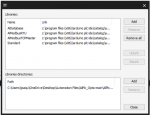
I've tried installing the appropriate libraries as well but I'm not sure if I did that right. I downloaded the Alplc_Opta Library from here but I'm not sure if that's the right library for my purposes. There's a possibility that that library might be for the traditional IDE.

The tutorials on the Arduino and Optafinder sites have no mention of my issue where it seems like program downloads just fine but fails to actually execute. I checked with ChatGPT and it says I should try to put my opta in run mode but I can't figure out how to do that. Supposedly there's a button the left hand side of the screen to do that but I don't see that.

All of my variables are declared on a global scope so that shouldn't be an issue.


When I compile the program it is totally free of errors as well. The IDE also says that I am successfully connected to the target device and that the program was downloaded successfully. I also already have the proper firmware installed on the target device. I can't put screenshots of this because I don't have the Opta with me and I won't have access to it until Thursday of next week when we have our next lab session.
I've tried installing the appropriate libraries as well but I'm not sure if I did that right. I downloaded the Alplc_Opta Library from here but I'm not sure if that's the right library for my purposes. There's a possibility that that library might be for the traditional IDE.

The tutorials on the Arduino and Optafinder sites have no mention of my issue where it seems like program downloads just fine but fails to actually execute. I checked with ChatGPT and it says I should try to put my opta in run mode but I can't figure out how to do that. Supposedly there's a button the left hand side of the screen to do that but I don't see that.
Attachments
-
 168.9 KB Views: 3