Mark V HMI Server Hard Drive Failure Recovery

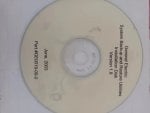
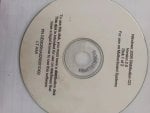
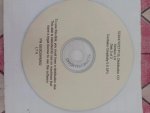
We use the GE Mark V HMI control system for our on-site gas turbine, and the HMI uses CIMPLICITY 5.5. There are two servers for operation and maintenance. Currently, one server has a hard drive failure, and a new hard drive has been purchased on-site to restore the faulty server. We have backup CDs, floppy disks, etc., from 20 years ago when the unit was commissioned, but we are unsure how these backups can help with the server restoration.
1717766237473.jpeg 1717766265341.jpeg 1717766301142.jpeg1717766325855.jpeg
1717766411226.png 1717766440637.png

1717766481731.png
Some of these CDs and floppy disks contain PQI image files, but the current image restoration software on the market no longer supports the PQI format. Does anyone have experience in this area or have PQI image restoration software?
 
@DGY,

I've been giving this a LOT of thought over the past few days and I don't know of a way to offer a solution. If you don't have a recently created image file of the hard drive before it failed that you can restore to a new hard drive I think you're going to find this very difficult to do without professional help.

I did some research on the World Wide Web and there are a couple of suggestions of using virtual machine hardware to try convert the .pqi file to something like a .tib (an Acronis True Image file), but no indication of it ever worked. It was basically just a couple of people spitballing ideas.

I don't recall GE Salem using PowerQuest Image software, but I do recall them using Norton Ghost at one point (and I think Norton bought or acquired PowerQuest at some point--but that's just a guess (Wikipedia could probably provide an answer to that question if you think it might help solve your problem). I used to use Acronis TrueImage to create VMs (Virtual Machines) from those ORIGINALLY supplied CDs, but I had to use three software programs (including VMWare virtual machine software) to do it. (I just can't recall the third piece of software required to make the conversion; it's been about 8-10 years ago.)

Anyway, getting the ORIGINALLY supplied CDs--they were useful during commissioning when commissioning personnel (and Customer operators and technicians) would unintentionally cause a serious problem which could be recovered from using the floppies and CDs. But, once commissioning was finished the commissioning personnel were supposed to create as-left image CDs to leave with the equipment (sometimes a second copy was sent back to GE Salem). But after this long, they're probably not going to be very useful for recovering from a serious problem.

There are some very intelligent and resourceful individuals and companies which have resurrected hard drives from some serious problems which people said were unrecoverable. My strong suggestion is to find at least one such company and let them have an attempt at trying to recover the information on the hard drive.

If that's successful I would also strongly recommend letting that same individual/company then get two new hard drives (which will work in the CPU boxes (which are also old)) and creating images on BOTH hard drives. That way you have a better chance of recovering from a similar failure in the future if you don't regularly (yearly or more often) create images for back-up purposes. Newer versions of imaging software can even compare the two hard drives and just update the back-up with changes (though it sounds good, I wouldn't risk it--hard drives are cheap these days and having a couple of back-up hard drives and rotating them each time a new image is created is cheap insurance). I would also recommend keeping the newest image in a separate location; I know of two facilities that had fires that lost their HMIs AND the image back-ups. Getting GE to provide new HMIs was REALLY expensive and time-consuming--and there were a LOT of problems with the new software and equipment, adding to the delays and lost revenue and lost time.

Remember, if you're going to continue using the original HMIs (or some reasonable facsimile thereof) those old versions of MS-Windows were notorious for fragmenting hard drives, and back then the hard drives were much smaller and not as inexpensive as they are now. Defragment the hard drives on a regular basis (at least twice yearly!) because creating back-up images from fragmented hard drives has its own set of problems, especially if you use refurbished or used older, smaller hard drives.

Best of luck--and PLEASE write back to let us know how this turns out for you. You can get new HMIs from GE--but it's likely ther are going to pressure you/your company to upgrade to the Mark* V-Mark VIe Life Extension (or whatever they call it these days) which can get quite expensive. They will probably also offer an complete upgrade to Mark* VIe (which, in my opinion, is a better option for the long term), but again, it's going to be expensive, time-consuming and will require a good deal of commissioning activity. If you opt for either of these OEM options DON'T LET the commissioning personnel leave site until they have properly demonstrated every button on every screen and all the bugs of the various displays have been worked out. (I'm NOT talking about redoing even a single display because some operator(s) want changes--I'm talking about making what they provided work which is what they SHOULD DO. Making changes for change sake is not included in the price of the package (even if it was very expensive).
 
@DGY,

I've been giving this a LOT of thought over the past few days and I don't know of a way to offer a solution. If you don't have a recently created image file of the hard drive before it failed that you can restore to a new hard drive I think you're going to find this very difficult to do without professional help.

I did some research on the World Wide Web and there are a couple of suggestions of using virtual machine hardware to try convert the .pqi file to something like a .tib (an Acronis True Image file), but no indication of it ever worked. It was basically just a couple of people spitballing ideas.

I don't recall GE Salem using PowerQuest Image software, but I do recall them using Norton Ghost at one point (and I think Norton bought or acquired PowerQuest at some point--but that's just a guess (Wikipedia could probably provide an answer to that question if you think it might help solve your problem). I used to use Acronis TrueImage to create VMs (Virtual Machines) from those ORIGINALLY supplied CDs, but I had to use three software programs (including VMWare virtual machine software) to do it. (I just can't recall the third piece of software required to make the conversion; it's been about 8-10 years ago.)

Anyway, getting the ORIGINALLY supplied CDs--they were useful during commissioning when commissioning personnel (and Customer operators and technicians) would unintentionally cause a serious problem which could be recovered from using the floppies and CDs. But, once commissioning was finished the commissioning personnel were supposed to create as-left image CDs to leave with the equipment (sometimes a second copy was sent back to GE Salem). But after this long, they're probably not going to be very useful for recovering from a serious problem.

There are some very intelligent and resourceful individuals and companies which have resurrected hard drives from some serious problems which people said were unrecoverable. My strong suggestion is to find at least one such company and let them have an attempt at trying to recover the information on the hard drive.

If that's successful I would also strongly recommend letting that same individual/company then get two new hard drives (which will work in the CPU boxes (which are also old)) and creating images on BOTH hard drives. That way you have a better chance of recovering from a similar failure in the future if you don't regularly (yearly or more often) create images for back-up purposes. Newer versions of imaging software can even compare the two hard drives and just update the back-up with changes (though it sounds good, I wouldn't risk it--hard drives are cheap these days and having a couple of back-up hard drives and rotating them each time a new image is created is cheap insurance). I would also recommend keeping the newest image in a separate location; I know of two facilities that had fires that lost their HMIs AND the image back-ups. Getting GE to provide new HMIs was REALLY expensive and time-consuming--and there were a LOT of problems with the new software and equipment, adding to the delays and lost revenue and lost time.

Remember, if you're going to continue using the original HMIs (or some reasonable facsimile thereof) those old versions of MS-Windows were notorious for fragmenting hard drives, and back then the hard drives were much smaller and not as inexpensive as they are now. Defragment the hard drives on a regular basis (at least twice yearly!) because creating back-up images from fragmented hard drives has its own set of problems, especially if you use refurbished or used older, smaller hard drives.

Best of luck--and PLEASE write back to let us know how this turns out for you. You can get new HMIs from GE--but it's likely ther are going to pressure you/your company to upgrade to the Mark* V-Mark VIe Life Extension (or whatever they call it these days) which can get quite expensive. They will probably also offer an complete upgrade to Mark* VIe (which, in my opinion, is a better option for the long term), but again, it's going to be expensive, time-consuming and will require a good deal of commissioning activity. If you opt for either of these OEM options DON'T LET the commissioning personnel leave site until they have properly demonstrated every button on every screen and all the bugs of the various displays have been worked out. (I'm NOT talking about redoing even a single display because some operator(s) want changes--I'm talking about making what they provided work which is what they SHOULD DO. Making changes for change sake is not included in the price of the package (even if it was very expensive).
Thank you very much for your patient response.

We have two computers on-site: one called "Remote" and one called "Local". I checked and found that we have two CDs on-site. These CDs are backups of another identical control computer, and the files on them are in .PQI and .002 formats. It seems that the backup was split into two parts due to the limited capacity of the CDs at the time.

We are currently trying various methods to restore the system:

1、Restore Using CD and Floppy Disk:

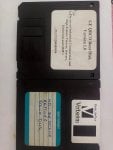
We have a restore CD and a floppy disk labeled as a boot disk. After replacing the hard drive, we can use the floppy disk to boot the computer. If everything works as described, it should prompt us to insert the CD to start the restore process. However, both the CD drive and floppy drive are broken, so we are in the process of purchasing new ones. Once the new drives arrive, we can proceed with this method.

2、Restore on Another Computer:

We can try to restore a Windows 2000 system on another available computer and then install the CIMPLICITY 5.5 HMI software. This restored system may not have the original drivers, especially for the ARC network card. We need to find a way to export the necessary drivers from a functioning Mark V HMI computer and install them on the restored computer.

3、Finding Software to Restore PQI Images:

Finding software that can restore PQI images is challenging, as it is difficult to find on the internet. I tried using a tool called PQIBrowser.exe to open the PQI image and convert it to a .V2I format. There are more software options available that support the .V2I format. I installed Norton Ghost 9.00 on a computer with Windows 2000, which can recognize .V2I images. The next step is to install the new hard drive into this working computer and use Norton Ghost 9.00 to perform the restore. Hopefully, everything goes smoothly.

Since I am using a backup image from another operational computer, if the restore is successful, what configurations need to be changed afterward? Specifically, do we need to change the network address settings? The ARC hardware address DIP switch on the faulty computer has not changed. Originally, we had two computers. After the restore, both computers will be named "Remote." Will this cause any conflicts or issues?
 
There have been times I have had a HD failure and was able to image the drive onto a new drive using imaging software. If it does attempt, it may ask to repair the image before writing to the new drive and it worked for me.
Do you have an image from a currently working HMI? If so, you can image that HMI and create a new one by changing the IP addresses, changing computer name, etc. It's probably old enough that the licensing will not be a problem.
You can also contact GTC and see if they can restore the HD. They work with legacy HMI's all the time.
 
There have been times I have had a HD failure and was able to image the drive onto a new drive using imaging software. If it does attempt, it may ask to repair the image before writing to the new drive and it worked for me.
Do you have an image from a currently working HMI? If so, you can image that HMI and create a new one by changing the IP addresses, changing computer name, etc. It's probably old enough that the licensing will not be a problem.
You can also contact GTC and see if they can restore the HD. They work with legacy HMI's all the time.

We have a Mark V system on site, equipped with two HMI servers: one called Remote HMI and the other Local HMI. Currently, the hard drive of the Local HMI is faulty. I restored the hard drive image of the normally functioning Remote HMI to a new hard drive and replaced the faulty hard drive with this new one. The HMI with the new hard drive can boot into Windows. Since this new Local HMI is a backup of the Remote HMI, everything is the same except for the ARC hardware DIP switch address. What configuration changes need to be made at this point? I have a backup of the E:/site folder from the original Local HMI before it malfunctioned. How can this backup assist in restoring the Local HMI?
 
Top