 Facebook
 Google
 GitHub
 Linkedin

OpenUaExplorer v1.0.0 Beta 1
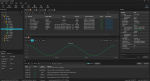
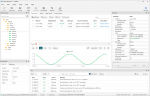
The first beta release of OpenUaExplorer, a cross-platform OPC UA client for browsing, inspecting, and monitoring OPC UA servers.
Highlights
Downloads
Choose the appropriate package from the assets below:
Beta notice
This is a beta release. Some features and interface elements may change, and you may encounter bugs. We do not recommend relying on this build as the only diagnostic tool for critical production systems.
Please report bugs and suggestions through GitHub Issues. When reporting an issue, include your operating system, application version, and relevant log output whenever possible.
The first beta release of OpenUaExplorer, a cross-platform OPC UA client for browsing, inspecting, and monitoring OPC UA servers.
Highlights
- Discover server endpoints and connect using standard OPC UA security policies.
- Authenticate anonymously, with a username and password, or with an X.509 client certificate.
- Manage certificates and trust decisions using the built-in certificate store.
- Browse the OPC UA address space and inspect node attributes and references.
- Write attribute values and call methods.
- Create subscriptions and monitor data changes and events.
- Read data and event history.
- Plot subscribed values on live trend graphs.
- Save favorite servers and access recent connections.
- Save and restore sessions, including opening session files directly from the operating system.
- Follow client activity in the built-in log.
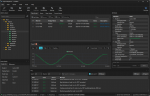
- Switch between light and dark themes.
Downloads
Choose the appropriate package from the assets below:
- Windows 10 or later (x64): installer
- macOS 15 or later (Apple silicon): DMG image
- Linux (x86-64): AppImage, DEB, or RPM package
Beta notice
This is a beta release. Some features and interface elements may change, and you may encounter bugs. We do not recommend relying on this build as the only diagnostic tool for critical production systems.
Please report bugs and suggestions through GitHub Issues. When reporting an issue, include your operating system, application version, and relevant log output whenever possible.