Facebook
 Google
 GitHub
 Linkedin
Hello again! Im here looking for advice on what might be preventing one energy metering from communicating its data, while two other energy meterings on the same RJS 485 cable communicate just fine. The non-communicative energy meter is a different model, being a hager HGR43-D, while the two working ones are hager HGR41-EWC. When I request data from them on Open Modscan (ID 2 & 3), I get normal results, and I can see on the energy meter screens that the symbol representing communication flashes. However, when I try to do the same with the third energy metering, (ID 1) it flat out refuses to connect. I've double checked the connection settings, changed the addresses to get any data, and nothing seems to work. The meter 1 screen shows useful data being collected and displayed, but the arrows that show when messages are sent/received via modbus doesn't appear.
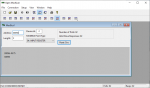
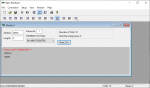
The only things I can think of, besides different models, that might explain this is that the 1st energy meter is the furthest away, but its only by a 1-2 extra meters of cable, at a total of 23 meters.
Do you guys have any ideas on what I could try, what to test, that would give me more information to work with? I've already emailed Hager, to no response, and Id like to try something and get more info before emailing the manufacturer Rayleigh Instruments.
The only things I can think of, besides different models, that might explain this is that the 1st energy meter is the furthest away, but its only by a 1-2 extra meters of cable, at a total of 23 meters.
Do you guys have any ideas on what I could try, what to test, that would give me more information to work with? I've already emailed Hager, to no response, and Id like to try something and get more info before emailing the manufacturer Rayleigh Instruments.