Facebook
 Google
 GitHub
 Linkedin
Copia DeviceLink Now Supports Siemens’ Step 7 5.x Software
Copia Automation has expanded its list of supported automation software for its popular DeviceLink platform, which monitors factory automation software in real time for code changes and backups.
For many years, the industry standard for backing up and version control of PLC code has been simply copying and pasting projects. This can result in corrupted files and multiple copies. By using Copia Automation’s DeviceLink platform, users can ensure their automation software backups are current and stored in a safe location, as well as track any changes made to the live and stored software.
Recently, Copia expanded its DeviceLink platform to support Siemens' Step 7 5.x software. With this latest integration, Copia seeks to further enhance PLC programming on the factory floor.
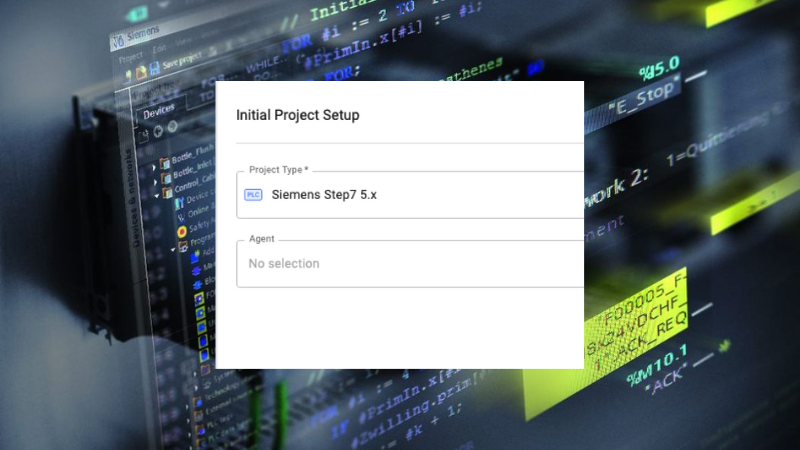
Copia has expanded its vendor support with its newest DeviceLink and Siemens’ Step 7 5.x software integration. Images (modified) used courtesy of Copia and Siemens
Git-Based Version Control
With automation control software, version control typically means keeping a copy of your PLC project somewhere in a network folder and changing the name with the latest date. This method of backup and version is adequate but can set up technicians for disaster. Copia uses the popular Git version framework, made popular with PC software and web developers, to enable multiuser programming of automation projects that can be stored on cloud or on-premise servers. The software will show version differences, preventing the need to copy and paste files and change the file name.
Copia allows users to create branches of the version project and merge the changes back into the master version. This allows multiple developers to work on the same project. The DeviceLink product from Copia enables users to schedule automatic backups or even monitor and notify when changes have been made to live PLC projects. Recently, Siemens’ Step 7 5.x was added as a supported software to the DeviceLink library of supported products.
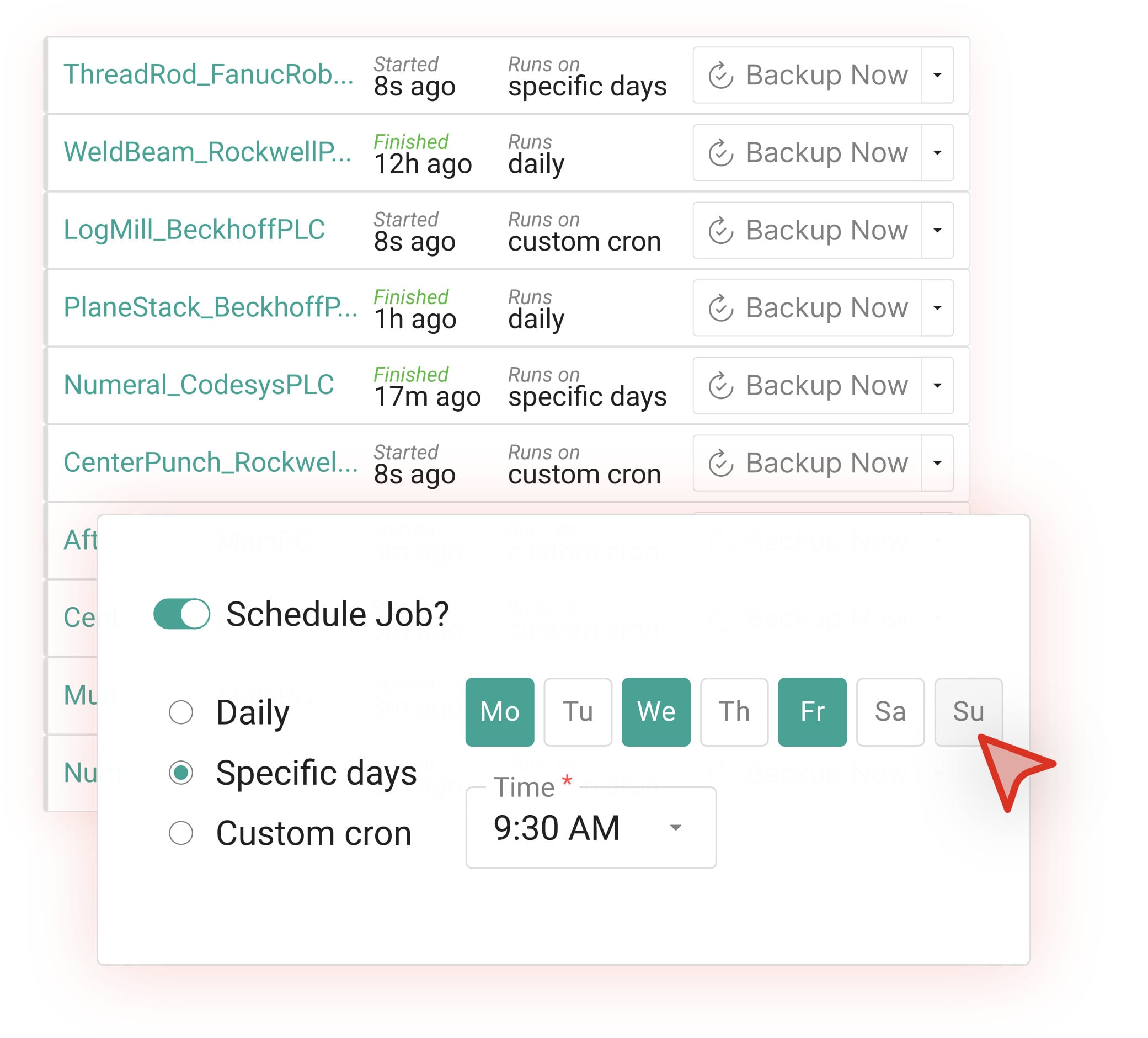
Setting up an automatic backup schedule in Copia DeviceLink. Image used courtesy of Copia
Copia DeviceLink
Large factories frequently have multiple PLCs running multiple machines, and these PLCs are often not locked so that anyone who connects can make changes to the code. Within a PLC, technicians can make changes while the equipment is running; nobody would know who made the change or when the changes were made. Copia’s DeviceLink connects to the factory’s PLCs and devices and monitors the code. If a program change is detected, users will be notified through email or in the Copia App. Filters can also be set to separate and organize program changes. DeviceLink works with Copia’s Git-based version control software so that changes can be reverted or backed up as necessary.
Backing up automation software can be an extensive job, especially when multiple technicians make changes throughout shifts. With DeviceLink, scheduled backups can be created and stored in a central location, creating a single source for all your automation software backups.
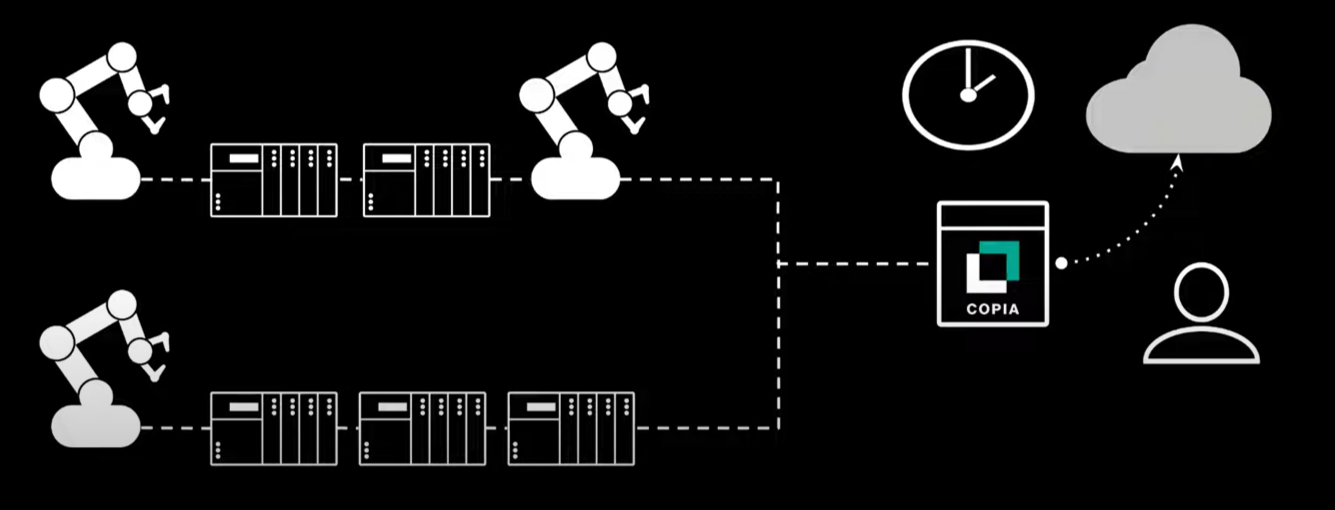
Copia DeviceLink is an “omni-vendor platform” that supports Rockwell Automation, Beckhoff, Codesys, and Siemens. Image used courtesy of Copia
Supported Software
Because Copia and DeviceLink need to access the PLC code to compare and display changes, Copia needs to support the different versions of the PLC program. Just like your PC software needs to be Windows 11 or Mac-compatible, so does DeviceLink with your PLC software. Currently, DeviceLink supports Rockwell Automation, Beckhoff, Codesys, Siemens TIA Portal, and now Siemens’ Step 7 version 5.x.