
 Facebook
 Google
 GitHub
 Linkedin
Installing and Configuring Light Curtains
Learn about safety light curtains: which one will fit your application, how to choose the proper size, and how to properly process the output signals.
A light curtain is an array of photoelectric sensors, arranged with a sending bar and a receiving bar, used to protect equipment and personnel from physical hazards. These are strictly safety-rated devices that are commonly used in automation equipment. Unlike most other sensors, there are no non-safety versions of light curtains.
When an object blocks too many of the photoelectric beams, a special safety signal turns off, and the machine can be stopped. While this is a very basic description of a light curtain, there is more to them than you might think.
Light curtains come in various sizes, types, and resolutions to protect against many different hazards in different physical locations. They also integrate with control systems differently, depending on options. Additional features can be configured for different applications, like muting and blanking. Over the next two articles, I’ll take a deep dive into light curtains and provide an in-depth report on sizing, alignment, integration, and features.
Contents:
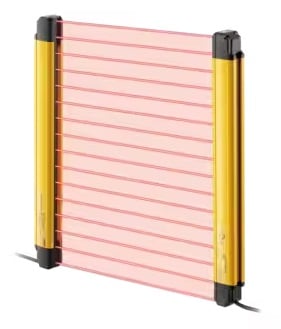
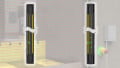
Figure 1. A standard light curtain. Image used courtesy of Keyence
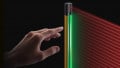
It is worth noting that in most images, the beams appear as red lines. In reality, these lines will not visibly appear between the sending and receiving bars.
Application Cases
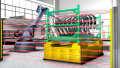
Light curtains are used in many different applications, but a common one is at an operator loading station. This could be a station where an operator loads parts to a fixture, and when finished, the fixture rotates into the cell. The rotating action of the fixture is the hazard, and the light curtain protects the operator by stopping motion if one of the light beams is broken during the rotating action.
For this application, we need a light curtain large enough so that an operator can’t step over or under the light beams, and it will only trip if someone walks through the beams.
Types of Light Curtains
There are two types of curtains, and the choice depends on the type of hazard in question. A type 2 curtain is used with lower-risk (minor) hazards, and a type 4 curtain is used with potentially major hazards, as determined by a safety risk assessment analysis.
Type 4 curtains are able to detect smaller objects such as fingers passing through the beams, while a type 2 curtain will typically require a whole hand to pass through before detection. Type 4 curtains also maintain a more immediate self-check monitor for any internal failures.
As expected, type 4 curtains are usually more expensive, so choose the correct type for your application.
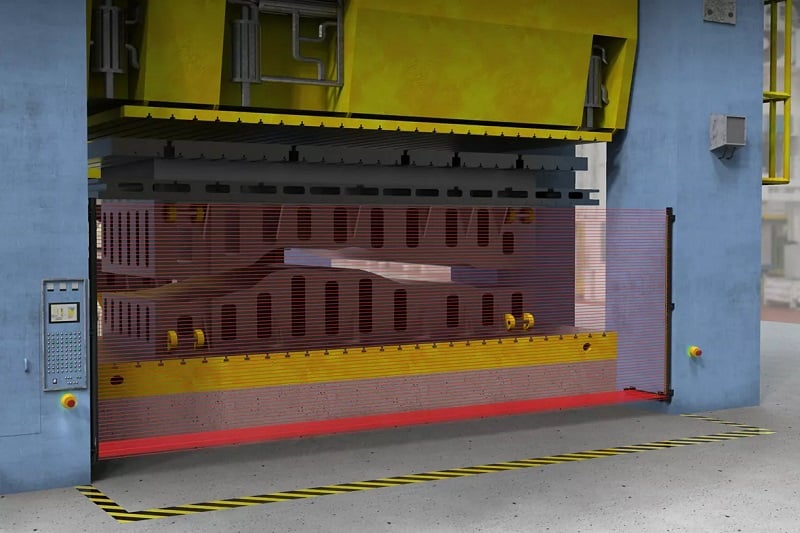
Figure 2. This light curtain protects operators from a press brake; this would require a type 4 curtain. Image used courtesy of Banner Engineering
Light Curtain Length
Light curtains come in various lengths, from 150 mm all the way up to 1800 mm. This range is size offers protection of varous sized hazards. In our example application, we have a work cell that an operator will walk into, and we want to make sure the operator can’t step over the curtain, so we should choose a long curtain and mount it to the floor. We also want to make sure that when the operator is standing in the hazard space, the machine doesn’t start again, so we use another curtain parallel to the floor. Always think of ways operators can circumnavigate the safety system and try to protect against it.
Mounting Location
Once we have an idea of the type and lengths of curtains required, next we need to know how far away the light curtain needs to be mounted from the hazard. This distance is determined by the stopping time and reaction time of our control system. We can use the following formula to determine the required safe distance.
$$S=(k \cdot T)+C$$
K -> human approach speed, which depends on whether we are measuring hand speed or body speed. Typically, the values are 2000 mm/s for hand or arm, and 1600 mm/s for body speed.
T -> Total stopping time. This is the sum of all the stopping times for all the devices that transmit motion. Large mass devices like flywheels will have a longer stopping time than smaller mass tooling.
C -> Intrusion Distance. This is based on the resolution of the light curtain. Larger resolution curtains will have a higher C value.
Alignment
Each light curtain comes with an emitter and a receiver, and they need to be aligned so that the receiver is seeing the beam coming from the emitter. If they are not aligned, the control system will not receive the safe signal, or the outputs could be unstable due to dust or vibration.
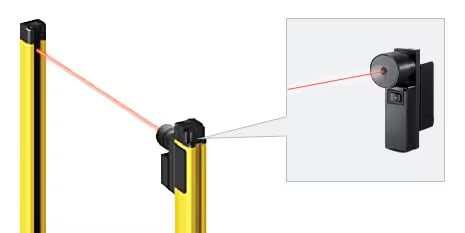
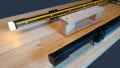
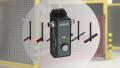
Figure 3. Alignment tool from Keyence. Image used courtesy of Keyence
Alignment is aided with mounting features that allow for rotation of the device, and LED indicators are typically integrated into the receiver and the emitter. Some manufacturers offer special tools and software to help align the devices for a more robust and efficient system. Some light curtains will report which photoelectric sensor on the receiver is not receiving the emitter light for further diagnostics.
OSSD Outputs
Like most safety devices, a light curtain typically provides two safety outputs that are energized when the light curtain is properly functioning and when none of the beams are broken. These outputs are referred to as OSSD, output signal switching devices, and are commonly PNP sourcing signals. The safety system (relay or PLC) monitors both channels independently so that if only one channel is received, the system will not power on.

Figure 4. Light curtain application protecting workers from punch presses. Image used courtesy of Unsplash
Control System Integration
A light curtain can be wired to either a safety relay or a safety PLC.
If using a safety relay, ensure that the relay supports OSSD inputs, as some relays require test pulses through dry contacts. Safety PLCs often contain program blocks that are pre-configured for light curtains, ensuring that both OSSDs energize in the proper sequence. It is up to the programmer to ensure the logic is correct; the system must stop all hazardous motion unless both OSSD signals from the light curtains are properly received.
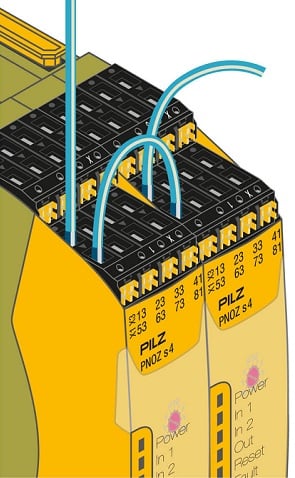
Figure 5. Safety relay wiring. Image used courtesy of Pilz
As you can see, light curtains provide the ability to safeguard equipment while still allowing operators to enter the guarded area, thus providing a means to safely interact with automated equipment.
In part 2 of this light curtain article series, we’ll discuss special configuration features, such as muting and blanking.





From your article, these devices can be quite complex. I think the most simple and common form of this is the beam break used with garage doors both in residential settings and in commercial & multiresidential facilities.