Facebook
 Google
 GitHub
 Linkedin
Customizing Light Curtain Configuration: Muting and Blanking
Some safety applications aren’t a simple on/off at all times; they need objects to pass through a light curtain without stopping the machine. For these, we turn to muting and blanking features.
Light curtains, as discussed in a previous article, are designed to protect operators from hazards while still allowing appropriate interaction with the machine. The light curtain will de-energize its output safety signals in the event that an object (like a hand or leg) blocks too many of the photoelectronic sensors.
But not every light-blocking condition is a hazard. What about situations where we want certain objects to enter the hazardous area without shutting it down? This is where muting and blanking enter the equation. These functions temporarily disable one or more sections of a light curtain to allow safe passage of materials or carts without stopping the machine.
In this part 2 of the light curtain series, I’ll cover how we can safely mute or blank out the light curtains and what options are available to facilitate these features.
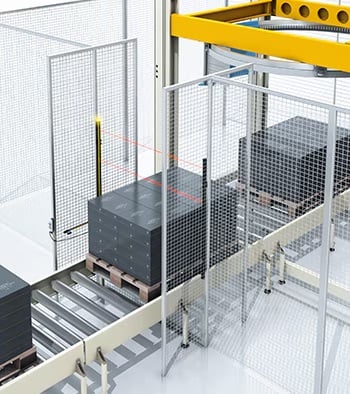
Figure 1. Light curtains allow material, but not operators, to pass through. Image used courtesy of SICK
Light Curtain Muting
Muting a light curtain involves temporarily disabling the entire light curtain.
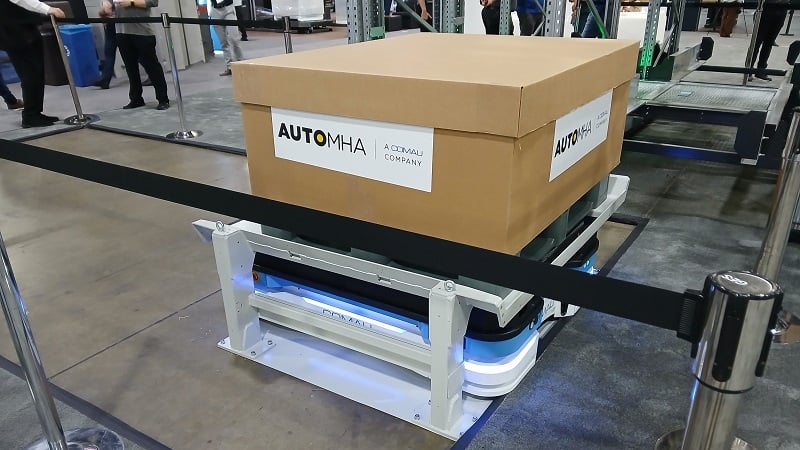
For larger installations, this can be used to allow the entrance of large materials into entire work areas. Muting is often required for forklifts, AMRs, and large pallets. In smaller installations, muting can be used with reject bins. If the robot is not near the reject bin, the light curtain can be muted. Once the robot comes near the bin, the light curtain is unmuted and will stop the robot if the light beams are broken.
Muting is often enabled through the use of sensors before and after the light curtains. As long as those sensors are blocked, the light curtain will be muted.
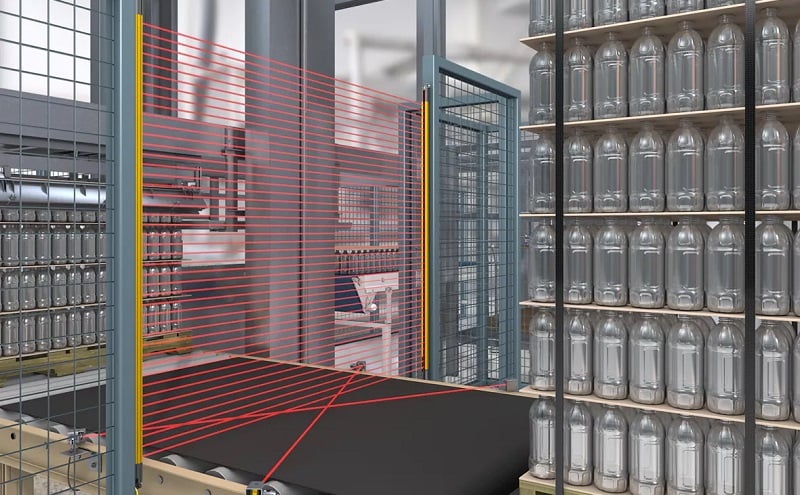
Figure 2. A muting application for a large pallet of products. Image used courtesy of Banner Engineering
Mute Feature Control
When muting a safety light curtain, we are essentially disabling it for a temporary amount of time, so we need to enable the feature in a controlled manner. To enable the muting feature on most typical light curtains, there must be at least two independent inputs to the light curtain.
These signals may consist of sets of through-beam sensors aligned in either an X (cross-beam), T, or L configuration. Each signal must come on within a short time of each other, and they must all turn off before the curtain can be muted a second time. There must also be a visual indicator to show when the curtain is in the muted state.
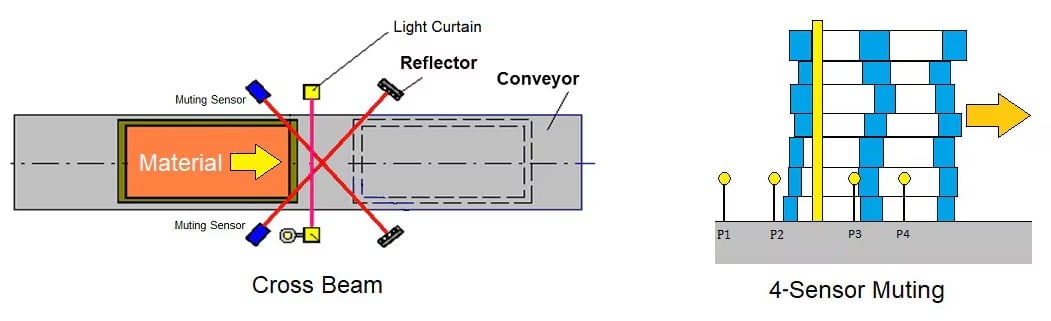
Figure 3. Cross-beam and 4-sensor muting configuration. Image used courtesy of SICK
When using an AMR or other automated vehicles, you can use safety signals from the safety PLC to the light curtain to mute the curtain as an AMR approaches. This provides a smooth transition from protection to accepting materials without stopping production.
Light Curtain Blanking
The blanking feature disables a portion of the sensing area. This feature allows smaller objects to pass through the light curtain without interrupting production. A common application is an empty pallet entering a cell on a conveyor. Only a few of the light beams need to be disabled to allow the pallet to enter, but if someone is standing on the pallet, the light curtain will trip. This feature is often used with conveyors that feed machinery such as a large hydraulic press. Typically configured through dip switches or a key switch, the blanking feature is always enabled and will need to be taught. Teaching the blocked area often requires only flipping a switch while specific beams are blocked.
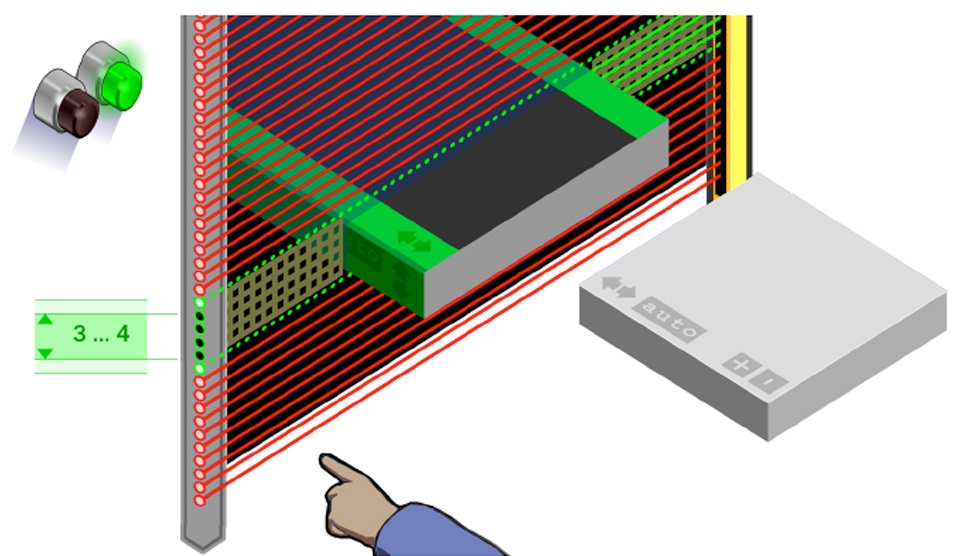
Figure 4. A blanking function where objects are allowed to pass through the light curtain without stopping the equipment. Image used courtesy of SICK Connect
Blanking Feature Control
The blanking feature is often disabled on most light curtains. It is up to the integrator to enable the blanking. Some versions use dip switches that facilitate enabling and teaching the blanking feature, while other versions use an optional keyswitch box that is mounted near the light curtain. Only operators with access to the key will be able to teach and enable the blanking feature.
Teaching is performed by blocking a section of the light curtain and enabling the teach mode. Typically, a visual indicator will inform the technician that teaching is completed and the curtain can then be put back into a run mode. Once the teaching is complete, the light curtain will not trigger based on objects passing through the blanked section.
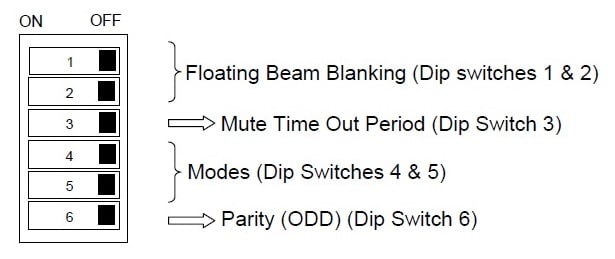
Figure 5. Example of dip switch settings for enabling and teaching the blanking feature of a light curtain. Image used courtesy of Smartscan
Floating blanking is the same concept, but the number of blocked segments and the exact position of the segments can be defined within a range. Floating blanking provides some flexibility in exactly where the object might pass through the beams. This can be useful for pallets of different sizes, or accounting for human error when placing a blank sheet of metal inside a press.
Safety Considerations
Both of these configurable features allow objects to pass through a safety device without disrupting the motion of the machine, so some consideration of how operators will interact with these features needs to be investigated.
Risk assessments are absolutely critical to determine the allowable flexibility, as well as the proper sizing of the devices. A mechanical design may prevent unsafe operation: perhaps sizing the light curtains to be only as wide as the object that is passing through can prevent the placement of hands between the object and the light curtain within the blanking section.
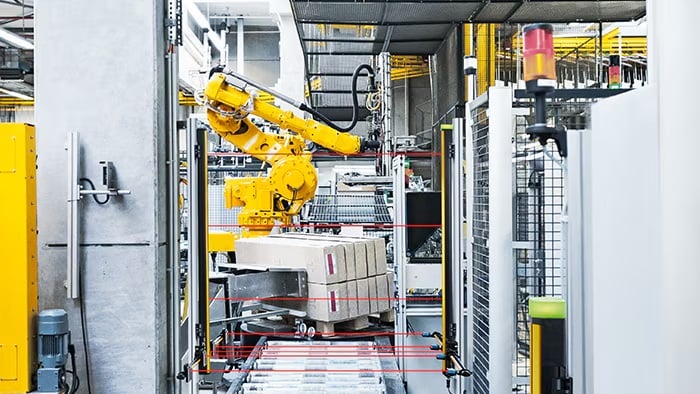
Figure 6. Light curtain render, along with the 4x blanking sensors at the bottom. Image used courtesy of SICK
For muting operations, ensure that operators cannot sneak in alongside AMRs or pallets by placing through-beam sensors in specific configurations so that objects need to be a specific width to enable the muting function.
Safety light curtains are one of the best ways to protect operators from hazardous machines without adding physical guarding, while still allowing the operator to interact with the machine when necessary. Provided the light curtain is correctly sized, installed, and programmed, a light curtain can be a valuable addition to any automated machinery.
Featured image used courtesy of Adobe Stock