Facebook
 Google
 GitHub
 Linkedin
Introduction to Common Network Protocols in Industrial Automation
This article provides an overview of the OSI models, IT/OT industrial protocols, and key applications behind the networking capabilities that drive modern industrial and process automation systems.
A foundational backbone of modern industrial control systems is a reliance on uninterrupted network communication between hardware and software, allowing thousands of field signals to be transmitted by controllers, PLCs, RTUs, and IEDs and continuously collected by SCADA/DCS systems for control and monitoring of industrial processes.
The protocols define how the data is formatted and converted before being transmitted between devices from different vendors. As the power generation industry is growing in size and capacity, more digitisation is occurring across existing and new facilities; therefore, an understanding of IT and OT protocols is a prerequisite for designers, system integrators, and maintenance personnel.
OSI Model of Communication
The IT/OT protocols work at different layers of the OSI (Open System Interconnection) and TCP/IP models. The OSI framework and TCP/IP model split the network into distinct layers, and each layer has its own functionality. The conceptual understanding of the aforementioned models/guidelines is helpful for engineers to design the network data flow securely and make troubleshooting easy. The OSI is the conceptual framework that divides communication into 7 layers, while TCP/IP is a 4-layer model. As shown in Figures 1 and 2, the OSI and TCP/IP models are given below.
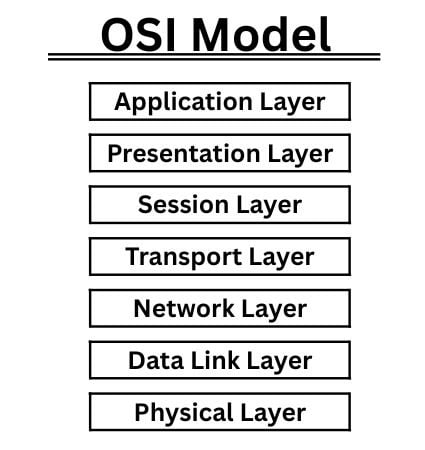
Figure 1. Communication layers of the OSI (Open Systems Interconnection) reference model. Image used courtesy of the author
Likewise the TCP/IP is also a simple network layer model that defines 4 layers only, i.e., application, transport, internet, and link layer, as shown in Figure 2.
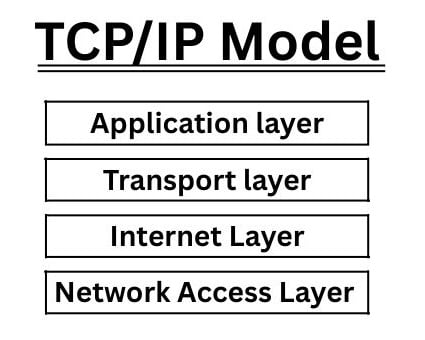
Figure 2. The TCP/IP suite has 4 layers. Image used courtesy of the author
As of today, the most modern control systems are the amalgamation of IT and OT protocols working from level 0 to level 5 of the Purdue Model. The well-known IT protocols include NTP, SNMP, HTTP or HTTPS, SSH, FTP, SMTP, and DHCP, and similarly, the OT protocols include Modbus RTU (serial), Modbus TCP/IP, HART, DNP3, IEC 61850, IEC 60870-5-104/101, PROFIBUS, etc.
Application Layer Protocols in ICS
The application layer handles a set of known industrial protocols that sit on top of the TCP/IP model and define how field devices communicate with each other, including SCADA servers/HMI, exchange measurands, commands, and status data. The brief description of well-known common industrial protocols is as follows:
IEC 60870-5-104 (IEC-104)
The IEC-104 is a well-known and widely used communication protocol in the power generation, transmission, and distribution control system for telemetry data exchange (status, measurand, and command). The protocol is designed to run over TCP/IP, having a standard default port#2404. It's a client/server model where the centralised control system acts as a client and remote field devices act like a server, reporting data to the client.

MFI: Analog Measurement Value Float Type.
ASDU: Application Service Data Unit contains data type, number of data objects, address for data objects, etc.
IOA: Information Object Address: The telemetry point in this case is the “Feeder 1” Current, which is the telemetry point by the information Object (10241) with the ASDU data unit.
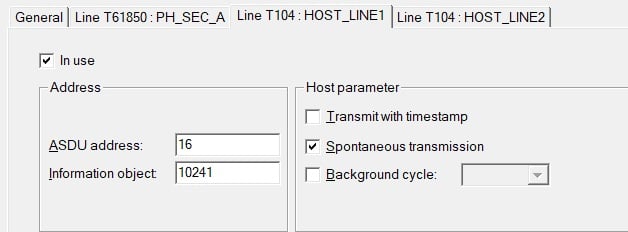
Figure 3. Configuring the IOA and ASDU address (IEC-104) for the Feeder-1 current. Image used courtesy of the author
ICCP/TASE.2
Another protocol in the power sector is ICCP, which stands for Inter-Control Centre Communications Protocol. It is used for communication between two or more control centres for the exchange of real-time telemetry data over a TCP/IP network and the default TCP port#102.
SNMP-Simple Network Management Protocol
SNMP is a protocol for monitoring devices in the network, which helps to detect and resolve problems quickly in the whole network. Initially, the SNMP was developed for monitoring of the router and switches, and now it has been extended for a wide variety of devices, like power supplies, etc.
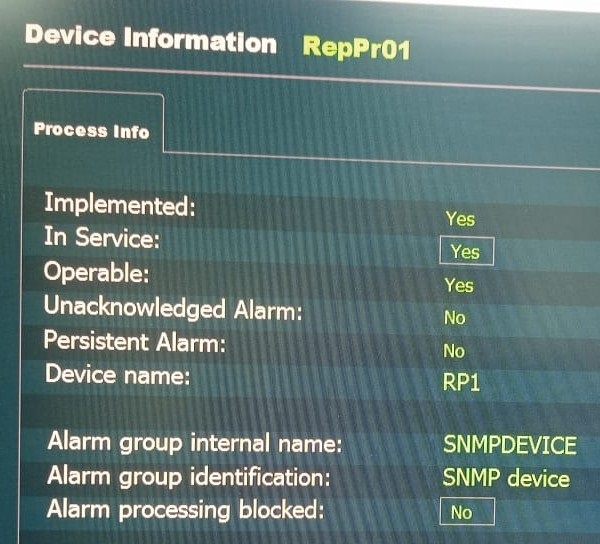
Figure 4. Monitor and report the network printer status on the operator HMI using the SNMP protocols. Image used courtesy of the author
The aforementioned OT related protocols are used to monitor and control the process data, and the telemetry data must pass through the secure communication link between field devices, switches, firewalls, and servers. Therefore, the health of the network infrastructure is also very crucial for plant operations, and monitoring can be done using the SNMP (Simple Network Management Protocol).
IP Addressing (RTUs/PLCs/Servers)
Presently, the new plant control systems are not a single device, but a cluster of different devices supporting general or specific features, protocols, and default IP addresses from multiple vendors. The robust network always relies on the logical IP scheme and network segmentation, so the IP scheme becomes essential for the entire system.
In the IP-based network architecture, devices (RTUs, PLCs, IEDs, gateways, and servers) exchange data using TCP/IP networks, each with a unique IP address, subnet mask, and gateway.
Web Server using HTTP/HTTPS Application
The common term “HTTP” stands for Hypertext Transfer Protocol, and HTTPS is the secure version of HTTP, where the data is encrypted as it is sent between the web browser and the web server.

Figure 5. Web client and web server secure communication over TCP/IP connection. Image used courtesy of the author
In Figure 5, the common industrial application is to access the integrated web server of the RTU via TCP/IP connection. On the web client side, different common browsers are used to connect with the web server. As per Figure 5, we can easily configure, troubleshoot, upload/download firmware and configuration files, information of I/O modules information and log in/log off to the RTU using the secure TCP/IP connection from a laptop/desktop.
File Transfer protocol(FTP/SFTP)
FTP/SFTP is another file transfer protocol widely used to transfer settings in the heterogeneous network of IT/OT nodes. The SFTP is used to transfer information and files with encryption over the network to the nodes. In a plant, the maintenance engineer can back up the new configurations and download the updated firmware to the IT/OT devices over SFTP/FTP and reboot the targeted device to apply the changes.
In the servers and workstations, we can copy project files on multiple nodes, backup and restore the PLC program, relay settings, and copy the router/switches/firewall configuration in text format for later use. Another use case is to copy the relay settings to the IEC 61850 IEDs file, like IED Capability Description, and CID (Configured IED Description).
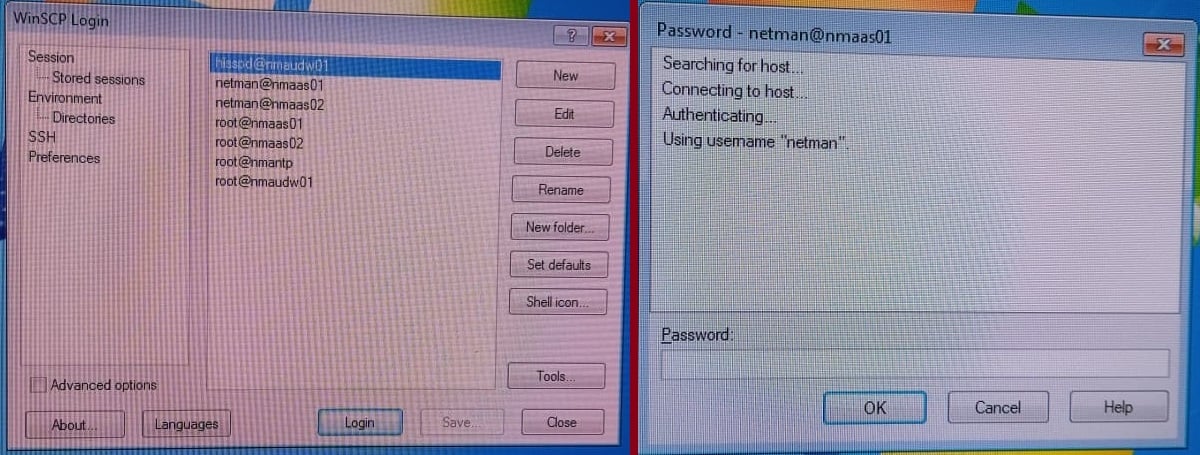
Figure 6. WinSCP file transfer Windows-based application, connecting to a remote server, asking for username/password. Image used courtesy of the author
The most popular user-friendly WinSCP application is an explorer-like tool for transferring files over FTP/SFTP from a local computer to a remote server in a secure manner. The application asks for the credentials(username/password) of the remote server to connect before transferring the files.
Network Protocols
Industrial automation would be severely hampered if not for the implementation of modern networking concepts. This introduction serves to explain some of the more common IT and OT networks that are used across various industries.
Featured image used courtesy of Adobe Stock
Related Content