Facebook
 Google
 GitHub
 Linkedin
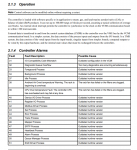
ALARM XMIT SUSPENDED - CPU SWITCHED usually indicates when the designated controller (which is <R> for a typical, healthy TMR control panel) ceases being the designated controller and <S> becomes the designated controller (again, under "normal" conditions).
If, when you troubleshooting the alarm you find that <R> has again become the designated controller, it is sometimes difficult to get the alarm to reset and clear it from the Alarm display. In this case, it's often required to re-boot <R> to get the alarm to clear. (I did once, try rebooting <S> first (before <R>) to see if that would work, and it clear the alarm and allow it to be reset from the Alarm window. Most sites are loathe to re-boot a processor when the unit is running (understandable); but it's not running and is even on COOLDOWN it should be okay. Just wait several minutes before re-booting a subsequent processor. And, for Mark VI panels, it seems to work best (the process of re-booting all three processors) to start with <R> first, then <S>, then <T>. (With Mark* V, it was common to start re-booting all three control processors with <T> first, then <S>, then <R>--but it didn't make any difference, really. But it certainly seems to make a difference with Mark* VI...!)
What does ToolboxST report as the controlling (designated) processor at the present time?
I'm pretty sure this has been tried, but ... Have you initiated a MASTER RESET? Does the HMI have a DIAGNOSTIC RESET button on the Alarm display? (Probably not, because the Alarm display is probably ControlST Alarm Display.)
Have you checked the Diagnostic Alarms on the VCMIs for <R>, <S> & <T>?
Do you see any collision LEDs on the VCMI card faces? They might illuminate for a short period then go out just as quickly. This would indicate a problem with a VCMI or the IONET cabling or BNC connectors.
Finally, when did this alarm occur? What was happening just before this alarm occurred? Is this a multi-unit site with several turbine/Mark* VIs on the same UDH? Was there a sudden flood of alarms/activities on the UDH immediately prior to this happening? Have there been any downloads recently? What other Diagnostic Alarms are present?
If, when you troubleshooting the alarm you find that <R> has again become the designated controller, it is sometimes difficult to get the alarm to reset and clear it from the Alarm display. In this case, it's often required to re-boot <R> to get the alarm to clear. (I did once, try rebooting <S> first (before <R>) to see if that would work, and it clear the alarm and allow it to be reset from the Alarm window. Most sites are loathe to re-boot a processor when the unit is running (understandable); but it's not running and is even on COOLDOWN it should be okay. Just wait several minutes before re-booting a subsequent processor. And, for Mark VI panels, it seems to work best (the process of re-booting all three processors) to start with <R> first, then <S>, then <T>. (With Mark* V, it was common to start re-booting all three control processors with <T> first, then <S>, then <R>--but it didn't make any difference, really. But it certainly seems to make a difference with Mark* VI...!)
What does ToolboxST report as the controlling (designated) processor at the present time?
I'm pretty sure this has been tried, but ... Have you initiated a MASTER RESET? Does the HMI have a DIAGNOSTIC RESET button on the Alarm display? (Probably not, because the Alarm display is probably ControlST Alarm Display.)
Have you checked the Diagnostic Alarms on the VCMIs for <R>, <S> & <T>?
Do you see any collision LEDs on the VCMI card faces? They might illuminate for a short period then go out just as quickly. This would indicate a problem with a VCMI or the IONET cabling or BNC connectors.
Finally, when did this alarm occur? What was happening just before this alarm occurred? Is this a multi-unit site with several turbine/Mark* VIs on the same UDH? Was there a sudden flood of alarms/activities on the UDH immediately prior to this happening? Have there been any downloads recently? What other Diagnostic Alarms are present?