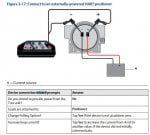
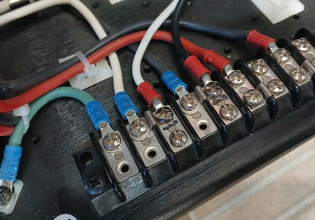
Are you connected to the B connection (on the extreme right, as shown below) on the TREX for an externally powered loop?
3.6 Device connection wizard
If the Trex unit cannot automatically detect or connect to the device, tap HART or Fieldbus on the Connect - Select screen to start the device connection wizard. The wizard displays a set of questions to help you connect to the device. You may see one or more of the questions below depending on the setup of your device. The questions may appear in a different order than listed below.
• Do you intend to provide power from the Trex unit? (This is available only if the Device Communicator Plus communication module is attached to the Trex unit.)
• Is the Trex unit connected to a transmitter or a positioner?
• Do you want to change the polling options?
• Do you want to increase loop resistance? (This enables the internal resistors.)
• Do you want to increase loop current? (This is available for only positioners.)
In the Field Communicator application, the device connection wizard is the only way to enable the Trex unit to power a device, change the polling options for HART and fieldbus, enable the internal resistors within the Trex unit, or increase current to positioners.
If the device connection wizard completes its process and cannot connect to the device, a message is displayed. Tap Cancel to return to the Connect - Select screen to retry the connection process.
3.6 Device connection wizard
If the Trex unit cannot automatically detect or connect to the device, tap HART or Fieldbus on the Connect - Select screen to start the device connection wizard. The wizard displays a set of questions to help you connect to the device. You may see one or more of the questions below depending on the setup of your device. The questions may appear in a different order than listed below.
• Do you intend to provide power from the Trex unit? (This is available only if the Device Communicator Plus communication module is attached to the Trex unit.)
• Is the Trex unit connected to a transmitter or a positioner?
• Do you want to change the polling options?
• Do you want to increase loop resistance? (This enables the internal resistors.)
• Do you want to increase loop current? (This is available for only positioners.)
In the Field Communicator application, the device connection wizard is the only way to enable the Trex unit to power a device, change the polling options for HART and fieldbus, enable the internal resistors within the Trex unit, or increase current to positioners.
If the device connection wizard completes its process and cannot connect to the device, a message is displayed. Tap Cancel to return to the Connect - Select screen to retry the connection process.
Interesting that nothing in the TREX spec sheet mentions lack of ability of the TREX to power the loop; in fact, there are multiple references to the advantages of the TREX being able to power the loop to configure a HART device before the electrical infrastructure is in place in greenfield builds. No mention in the manual either.
Other than checking the resistor with a Ohmmeter to make sure it's 250 -500 Ohms, I'm out of ideas. Maybe it's time to call Emerson and ask why the TREX won't connect.
Interesting that nothing in the TREX spec sheet mentions lack of ability of the TREX to power the loop; in fact, there are multiple references to the advantages of the TREX being able to power the loop to configure a HART device before the electrical infrastructure is in place in greenfield builds. No mention in the manual either.
Other than checking the resistor with a Ohmmeter to make sure it's 250 -500 Ohms, I'm out of ideas. Maybe it's time to call Emerson and ask why the TREX won't connect.
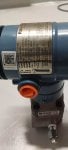
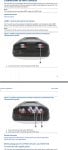
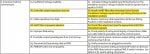
Because the trex that I have is in the upper part of the attached photo.
And as you can see from there, it was just HART and FF, unlike the other one at the bottom.
Anyway, thanks for the time, I appreciate it. I'm just really interested how to make it work.
OK .. after reading through all of the problems with HART communications and having the same experiences myself, I have an idea that might lead to a solution. It seems to be pretty well established that "noise" in the loop wiring is the culprit. HART protocol uses 2200 hz as a logic "zero" and 1200 hz as a logic "one". Here's the big question for an engineer: Isn't there some value of electrolytic capacitor than could be hooked up in parallel with the 4-20 ma loop wiring (possibly at the transmitter terminals), that could filter out any noise conflicting with the delicate HART protocol ????
Meanwhile, whenever I can't connect using loop power, I just use a separate 24v battery supply with a 250 ohm resistor in series, which allows me to connect right away to calibrate or configure a device. Of course, this could be a problem when the loop is disconnected if there were no provision to bypass shutdown-logic in the PLC or prevent any unwanted occurence.
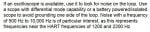
Other HART related noise/isolation tidbits I've collected:
From a 475 manual:
From a Siemens LUT400 manual:
I fail to see what is adjustable on a Fisher/Rosemount HART filter, as referred to in 2d. Since a Fisher filter drops 2Vdc checking compliance voltage (voltage at the input, not across the transmitter terminals) in 2b. makes sense.


 Facebook
 Google
 GitHub
 Linkedin