I am glad to write to you again. I hope we stay cooperative concerning MC750.
I intend to utilize our MC750 power monitors as means to provide telemetry for our dispatch headquarters and local substation control rooms simultaneously.
Objective now is to send data onwards MiQen2.1 software( local substation operator PC) and through PLC further to headquarters.
When data is sent to local MiQen2.1 PC- the transmission to headquarters interrupts, while when data is sent to headquarters – local MiQen2.1 is denied!
It seems that Modbus TCP on MC750 data cannot be dispatched to both destinations: MiQen2.1 and remote headquarters simultaneously!
Can you kindly provide any kind of possible workarounds concerning the issue I have depicted?
Are there any means which could make simultaneous data transmission to both directions feasible?
On page 63 of the MC 7x0 manual, under the Local Port heading, it states that the device allows multiple Modbus/TCP connections (on port 502), however, if you are using a user defined port, only a single connection is allowed to that port and connections to port 502 are disabled.
Are you using the default Modbus/TCP port 502 on the MC 750, in the MiQen software, and on the PLC? If not, I think this is the cause of the issue you're having.
Dear sir,
In the MiQen software port 10001, though on the PLC port 502 is configured now.
If I get right, I have to change 10001 to 502 on MC750, establish connection with MiQen, and then establish connection with the PLC on 502 port. So user configured pot on MC750 has to be 502, if multiple connections on Modbus TCP are desired.
I'll change port settings on MC750 as you kindly direct.
Faithfully.
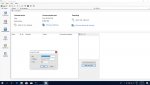
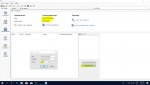
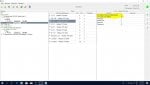
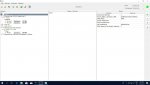
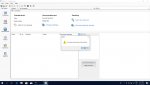
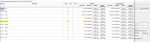
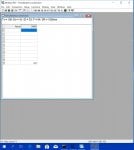
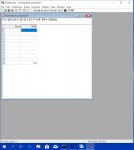
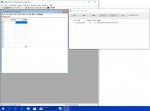
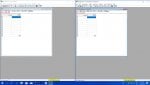
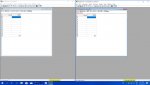
I have changed port settings on MC750 from 10001 to 502, the PLC and PC is on the other hand connected through the switch. PLC transmits telemetry through GPRS to SCADA (please see the pictures I attached ). Telemetry is obtained in SCADA recently, though MiQen (launched on PC) cannot succeed connection with the MC750.
Please have a look at the screenshots.
Faithfully.
You should not need to change the user defined port on the MC750. In fact, the manual states that it is not allowed to set the user defined port to a reserved port, such as port 502. However, you do need to change the Modbus/TCP port in MiQen to 502. The screenshots you show are for assigning an IP address by MAC, which may not be the right location. I am not familiar with this software and have only the MC 7x0 manual to reference, so I'm afraid I cannot provide much more guidance on the proper configuration of MiQen. If you continue having issues, I suggest you consider contacting Iskra technical support.
Much appreciated of your directive's sir!
I have already contacted with Iskra, they told me MC's have been tested to provide up to 4 simultaneous connections on Modbus.
I will write about the possible workarounds and the outcome concerning these undertakings!
As a test, I recommend trying a Modbus master simulator, such as Modbus Poll, in place of the MiQen software. In other words, attempt to connect and communicate to the MC750 with both the PLC and Modbus Poll to confirm that the MC750 does indeed allow 2 simultaneous Modbus/TCP connections on TCP port 502 (alternatively, or in addition to, you may be able to simply open multiple instances of Modbus Poll to establish multiple, simultaneous connections with the MC750 from your computer). If this test is unsuccessful, it would suggest you may have the MC750 incorrectly configured. However, if this test is successful, it would suggest that you may have the MiQen software incorrectly configured.
Thank you for valuable directive, sir!
I powered on my MC and PLC, established connection and acquired data in SCADA, then I launched Modbus Poll on port 502. For the first time connection with the MC was succeeded, but SCADA was denied of data! For the second time and so on, connection was with remark 'write error'. But SCADA was not denied of data! As you kindly suggested, this may be due to MC750 was incorrectly configured. I wonder whether on MC there an appropriate menu is to deny or approve multiple connections.
Perhaps your PLC uses multiple, simultaneous TCP connections when communicating to a Modbus device. Some devices/software do this for efficiency reasons, but other times it may be a result of misconfiguration or improper implementation by the vendor.
What are the results of using only Modbus Poll (i.e. disconnect or power off the PLC), by opening two or more instances of Modbus Poll and establishing simultaneous connections with the MC? Note that you may need to power cycle the MC (after disconnecting the PLC) prior to preforming this test to ensure any old connections have been terminated.
Dear sir,
I turned off the PLC and attempted to launch the 2nd instance of Modbus Poll. Upon changing port number, I power cycled MC.
MC user defined port was configured as 502. 1st instance on 502 was successful, 2nd also on 502 is denied.
MC user defined port was configured as 10001(default). 1st instance on 10001 successful, 2nd instance on 502 denied.
MC user defined port was configured as 10001(default). 1st instance on 502 denied, 2nd on 502 denied.
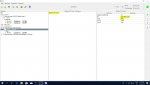
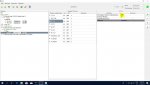
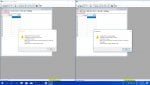
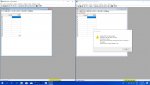
Please have a look at the screenshots:
It seems that the only TCP port opened on the MC is user defined port, I thought when user defined port on MC is default, the other on 502 should allow multiple connections. Can wire shark reveal which ports beyond user defined is opened, or only user defined port is opened?
The port limitation on the MC is not which port is configured on the MC, the limitation is when a client actually connects to the port (i.e. opens a connection to TCP port 10001 or TCP port 502). If a client connects to the user defined port (10001, by default), that is the only connection that can be made to the MC. Any other connection attempts will fail.
First, let's cover the configuration settings on the MC. I think you need to leave the user defined port at the default of 10001 (again, as the manual states that port 502 is an invalid setting for the user defined port). After you've changed this setting on the MC, power cycle the MC.
After power cycling the MC, you should be able to open two instances of Modbus Poll and connect to port 502 from both instances. If this is not the case, you need to get Iskra technical support involved and provide them with this test case so that they can either duplicate the issue or determine any misconfiguration on the MC that is preventing this test from succeeding.
Regarding the use of Wireshark, Wireshark can be a very helpful tool in debugging Ethernet communication issues. While it cannot tell you directly what ports are currently open on a device, you can capture all of the packets going to and coming from a device by starting the capture when the device is first powered on and then reviewing the capture for any connections made to the device. Please note that in order to use Wireshark, you must use either an Ethernet tap device (such as a SharkTap) or an Ethernet switch that supports port mirroring.
Dear sir,
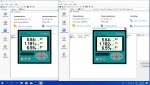
Two instance communication on Mi Qena software has been established on port 10001 and IP on MC750 was set to 192.168.1.167!
This specific IP was kindly handed over to me by Iskra support. Please have a look at the screenshots below:
But when I tried to combine Mi Qena instances with the Modbus Poll, Mi Qena was denied of data and Modbus Poll began to obtain data:
When I disconnected Modbus Poll, data resumed to acquire on Mi Qena instances again:
Two Modbus poll instances cannot run simultaneously on this specific configuration. Please have a look above.
But disconnecting one instance of Modbus Poll fixes connection with the second one.
I wonder whether one Mi Qena Modbus TCP connection be obtained with our PLC connection simultaneously.
Faithfully.
I'm sorry, but I'm a little confused by your post, as it seems you've done something entirely different with Iskra technical support than what I suggested. The MC 7x0 manual states that the device allows multiple Modbus/TCP connections on port 502. You opened two instances of Modbus Poll and tried to connect to the MC on port 502 on each, and was denied access. This, and only this, needs to be discussed with Iskra technical support. Their manual states this should work, however, your test shows it does not. Why? Iskra technical support needs to walk you through using two instances of Modbus Poll (not MiQen) to successfully establish two simultaneous connections to the MC on port 502, as stated as being supported in their manual.
I don't understand why you're testing port 10001 or using the MiQen software. The MC manual states only a single connection may be made to the MC (on any port) when there is a connection on port 10001. You should not be using this port at all for your application. You should only need to use port 502.
I don't understand why this change made or what difference it would have made. You previously had the IP address of the MC set at 192.168.15.59. Presumably you had your computer configured for the same subnet (i.e. 192.168.15.xxx) and were successfully able to establish a connection (one connection, but not two). But now, for some reason, you've changed the IP address of the MC to 192.168.1.167. I assume you also had to change your computer's IP address to that subnet (i.e. 192.168.1.xxx). What is the IP address of the computer that is running MiQen and Modbus Poll?
Dear sir,
I am also very sorry and confused by the fact that Manual directives doesn't match the real undertakings which led to connection succession on two instances. This is miscoincedence. And I myself with very little knowledge can only speculate on its origin. Support just handed over me to configure MC this specific IP and port.
My computer IP now is set to 192.168.1.166;
My PLC has got two Ethernet ports. I think I have to reconfigure one of them to 192.168.1.165 maybe, to establish connection with the PLC on the other hand.
The specific IP address used should be irrelevant. What matters is that your computer (or PLC) and the MC are on the same logical IP subnet. For example, when using a subnet mask of 255.255.255.0 (which is the most common, and the default subnet mask for the MC), the first 3 octets must be the same on all devices and only the 4th octet shall be different (e.g. 192.168.1.xxx, 10.10.100.xxx, 172.16.2.xxx, etc.).
Alternatively, the MC supports RS-485, RS-232, and USB connections in addition to Ethernet. Could the local substation PC running MiQen utilize one of these other connections instead of Ethernet? This would allow the Ethernet connection to be used solely by the remote PLC.
Another thought, have you confirmed that your MC has been updated to the latest firmware available from Iskra? It's possible the issues you are experiencing are due to an old version of firmware, which may explain why the observed behavior does not match the documentation.
If you don't want to continue trying to get the MC to work how you need it to, you can always use a Modbus/TCP Client to Modbus/TCP Server gateway between the MC and your other equipment. The gateway would open a single connection (on port 502) to the MC, synchronize the MC's registers with its own internal database, and then accept multiple, simultaneous connections from your Modbus equipment to provide the register values from its internal database. My company, ICC, makes such a gateway called the ETH-1000. Details on the ETH-1000 can be found on its product page here: https://www.iccdesigns.com/millennium-series/10-eth-1000.html

 Facebook
 Google
 GitHub
 Linkedin