Facebook
 Google
 GitHub
 Linkedin

Dear all,
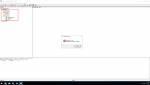
I am going to use Centum vp on vmware and use test function of centum but there is a error when I put a FCS in my project to test function and an error comes says "illegal exit code". in forum I found out problem is due to v net card which is not installed. my question is how can i fix the problem since I do not have a real vnet card and i am going to use on vmware.
I am going to use Centum vp on vmware and use test function of centum but there is a error when I put a FCS in my project to test function and an error comes says "illegal exit code". in forum I found out problem is due to v net card which is not installed. my question is how can i fix the problem since I do not have a real vnet card and i am going to use on vmware.