Facebook
 Google
 GitHub
 Linkedin

Mark VIe Simulation Tutorial: Master ToolboxST, Function Blocks & GE Control Logic
download:
simulation Download: https://control.com/forums/threads/...n-operation-guide-cimplicity-toolboxst.55123/ remember to like and subscribe.
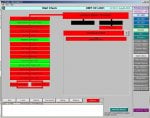
Full Guide to GE Mark VIe Simulation & ToolboxST Logic Programming In this detailed tutorial, we explore the Mark VIe simulation environment and show you exactly how to monitor, build, and understand control logic using ToolboxST — the heart of GE’s control system software. You’ll learn how to: Navigate the ToolboxST Component Editor Understand the structure of programs, tasks, and user blocks Use Function Blocks like MOVE, CALC, TIMER, BFILT, PULSE, SELECT, COMPARE, RUNG Work with linked and nested user blocks Interpret live signals, alarms, and logic states Use the APP_STATE block to control controller behavior Practice safely in a simulation without affecting real systems Whether you're a student, engineer, or industrial tech, this video will give you practical skills in using GE’s Mark VIe control platform. Perfect for learners & professionals in industrial automation, power plant controls, and SCADA/PLC environments. Simulation = Safe environment to test, learn, and understand complex logic without risk. Download links for the Mark VIe simulation are in the comments. Don’t forget to Like, Share, and Subscribe for more Mark VIe & ToolboxST tutorials!
download:
simulation Download: https://control.com/forums/threads/...n-operation-guide-cimplicity-toolboxst.55123/ remember to like and subscribe.
Full Guide to GE Mark VIe Simulation & ToolboxST Logic Programming In this detailed tutorial, we explore the Mark VIe simulation environment and show you exactly how to monitor, build, and understand control logic using ToolboxST — the heart of GE’s control system software. You’ll learn how to:
Navigate the ToolboxST Component Editor Understand the structure of programs, tasks, and user blocks Use Function Blocks like MOVE, CALC, TIMER, BFILT, PULSE, SELECT, COMPARE, RUNG Work with linked and nested user blocks Interpret live signals, alarms, and logic states Use the APP_STATE block to control controller behavior Practice safely in a simulation without affecting real systems Whether you're a student, engineer, or industrial tech, this video will give you practical skills in using GE’s Mark VIe control platform. Perfect for learners & professionals in industrial automation, power plant controls, and SCADA/PLC environments. Simulation = Safe environment to test, learn, and understand complex logic without risk. Download links for the Mark VIe simulation are in the comments. Don’t forget to Like, Share, and Subscribe for more Mark VIe & ToolboxST tutorials!