Rotork MOV

I faced an issue when I’m using the rotork MOV when i put on local it works with no issue but when i put remote the scada give Demond fully open it goes to 78 and give it fully close it goes to 17! What is this issue?
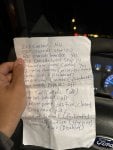
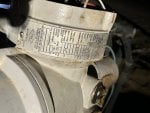
Bellow the nameplate for the MOV and my sitting
 

Attachments

I faced an issue when I’m using the rotork MOV when i put on local it works with no issue but when i put remote the scada give Demond fully open it goes to 78 and give it fully close it goes to 17! What is this issue?
Bellow the nameplate for the MOV and my sitting
No one know!
 
When asking for help, please make sure you have given all the needed info. Else, everybody is at lost. If you have not fixed your issue and still want somebody to help you, please try to answer the following;

1. When you say you give a command to open/close in the DCS, do you see the 17% and 78% in the DCS or local? What do you see in the local? What do you see in the DCS?
2. Did somebody change the setting in anyway?
3. Do you have any alarm (local/remote)?
4. Are you using Hart or normal analog signal?

Maybe you need to re-calibrate your range.
 
When asking for help, please make sure you have given all the needed info. Else, everybody is at lost. If you have not fixed your issue and still want somebody to help you, please try to answer the following;

1. When you say you give a command to open/close in the DCS, do you see the 17% and 78% in the DCS or local? What do you see in the local? What do you see in the DCS?
2. Did somebody change the setting in anyway?
3. Do you have any alarm (local/remote)?
4. Are you using Hart or normal analog signal?

Maybe you need to re-calibrate your range.
When the DCS man give comand to open for fully open which is 100%, it goes to 78 and the feedback that is going to DCS is 78 while the demand is 100

About the setting, yes I replaced main card and i put the setting as before

No alarm

we are using flomatic 4-20mA

i tried to do colbration like the new Rotork, but i couldn’t because there is no choice for that
 
Have you checked your command going to your Rotork if it was indeed 20mA at 100%? Or the feedback if it was 20mA at 100%? If your command and feedback are 20mA at 100%, there is something wrong with the Rotork. If otherwise, the output channel has an issue...
 
1. Analog Input Calibration Error (4-20mA)
The most common cause is that the current (mA) value sent by the SCADA is out of sync with the actuator reading.
Analysis: The SCADA sends a Demand signal (e.g., 20mA for full open), but the actuator reads that 20mA as only 78%. Conversely, when the SCADA sends 4mA (close), the actuator reads it as 17%.
Solution: You need to perform "Analog Input Calibration" using the Settings Tool:
Go to Settings > Control > Analogue.
Select Close Config (set when the SCADA sends the close signal) and Open Config (set when the SCADA sends the open signal).
Ensure the unit records the lowest and highest mA values from the SCADA as 0% and 100%, respectively.
2. Deadband or Hysteresis Settings
If the Demand value spikes or is unstable (such as 78% or 17%), it's possible the Deadband value in the control menu is too wide or too narrow, causing the actuator to stop before reaching the target.
Solution: Check the Control > Analogue > Deadband menu. The standard value is usually around 1% - 2%.
3. SCADA / Output Card (PLC) Problems
Values of 78 and 17 are unusual. It's possible the output card on the PLC/SCADA is damaged or requires rescaling.
How to Check: Use a multimeter on the actuator's input terminals (usually terminals 26 (+) and 27 (-)).
When the SCADA prompts Fully Open, it should read exactly 20mA.
When the SCADA prompts Fully Close, it should read exactly 4mA.
If the value deviates (for example, only 16mA when requesting full open), then the problem is on the PLC/SCADA side, not the Rotork.
4. Configure "Action" (Direct or Reverse)
Ensure the signal direction settings are correct.
Check: In the Analogue menu, ensure Low Signal is set to Close and High Signal is set to Open (unless your application is designed otherwise/Reverse Acting).
Quick Step Summary:
Try measuring the mA current entering the actuator when the SCADA gives the command. If the current is normal (4-20mA) but the Rotork display remains at 17% and 78%, recalibrate the analog input through the settings menu.
Do you have a multimeter to measure the current (mA) entering the actuator terminals?
 
Top