Facebook
 Google
 GitHub
 Linkedin
Rockwell’s FactoryTalk Workbench Simplifies Micro Control
The new FactoryTalk Workbench from Rockwell streamlines programming, configuration, and diagnostics for Micro800 control systems.
Developing control systems for small, standalone machines has often required several separate tools and long configuration cycles. Machine builders working in packaging, water and wastewater, or material handling often juggle multiple applications to program controllers, configure drives, and troubleshoot equipment. This scattered approach slows development and makes it harder to maintain design consistency across projects.
Rockwell Automation’s new FactoryTalk Design Workbench software brings those functions together. Made for Micro800 controllers, the free software brings programming, setup, and troubleshooting into one place. Version 1 uses a layout similar to Rockwell’s Logix tools, giving it a modern look and familiar workflow that helps engineers get projects running faster and makes onboarding easier for new users.
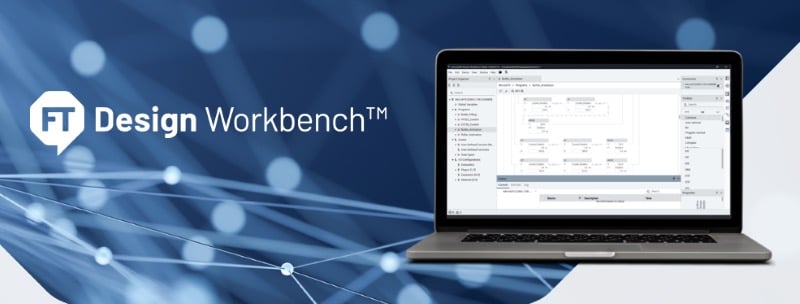
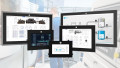
FactoryTalk Design Workbench software provides a unified environment for programming, configuration, and troubleshooting of Micro800 control systems. Image used courtesy of Rockwell Automation
Unified Design for Faster Development
FactoryTalk Design Workbench creates a single workspace for building, monitoring, and maintaining compact control systems. Engineers can connect to multiple controllers at once, ideal for small production lines or multi-machine setups, and perform programming, uploads, and downloads without switching screens. Version 1 supports Micro810 and Micro800 Lx0E controllers and includes Class 1 connectivity for PowerFlex 520 drives and Kinetix 5100 servos, allowing drive configuration and testing from the same environment.
The new workspace mirrors Rockwell’s Logix environment, featuring a unified organizer view, shared programming instructions, and full support for Ladder Diagram (LD), Structured Text (ST), and Function Block Diagram (FBD) languages. Users can edit logic online, build and download projects faster, and benefit from improved communications that cut program transfer times. Multi-device access also simplifies troubleshooting, letting technicians see controller statuses, tag values, and alarms simultaneously.
Version 1 highlights include a modern user interface, faster performance, and simultaneous multi-device support for Micro800 controllers. Image used courtesy of Rockwell Automation
Designed for Modern Engineering Workflows
FactoryTalk Design Workbench is optimized for 64-bit Windows systems, providing compatibility with other FactoryTalk tools on the same workstation. It runs smoothly on a standard Intel Core i5 processor with 8 GB RAM and requires only 20 GB of free disk space, making it easy to install on standard engineering laptops. The interface supports six languages (French, German, Italian, Portuguese, Simplified Chinese, and Spanish) to meet the needs of global design teams.
Migration tools are built in to import projects from Connected Components Workbench v22 and v23, minimizing conversion risk and preserving existing logic. The consistent architecture also supports drive integration, meaning users can build coordinated motion or simple speed control in the same project without extra plug-ins or conversion utilities.
Scalable Architecture and Future Integration
The software is available now from Rockwell’s Product Compatibility & Downloads Center (PCDC). It’s also the starting point for wider FactoryTalk integration. Rockwell plans to roll out updates each year, adding support for more devices and linking small-machine design more closely with FactoryTalk Design Studio.
By combining Logix-style workflows, multi-device access, and free licensing, FactoryTalk Design Workbench gives OEMs and machine builders a faster, more cohesive way to design micro-scale automation. It closes the gap between Connected Components Workbench and higher-tier FactoryTalk platforms, delivering a consistent user experience from the smallest machine to plant-wide systems.