Facebook
 Google
 GitHub
 Linkedin
Hello Experts,
I need help with the following issue I'm facing in my current project setup:
From the HMI, I provide the Start and End Date/Time(using DateTime tags), and trigger the print function through a button event configured to "Print Report".
Problem:
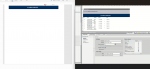
When I print or save the report as a PDF, the output is completely blank as shown in attached picture(Left side), even though the alarm buffer is populated (I have confirmed alarms are present and visible on the runtime screen). Strangely, I also created a separate report for flow readings, and that one works perfectly and displays the correct data.
Thanks in advance for your support!
I need help with the following issue I'm facing in my current project setup:
- PLC: Siemens CPU 1510SP-1 PN
- HMI: WinCC Runtime Advanced (PC Station)
- TIA PORTAL V20
From the HMI, I provide the Start and End Date/Time(using DateTime tags), and trigger the print function through a button event configured to "Print Report".
Problem:
When I print or save the report as a PDF, the output is completely blank as shown in attached picture(Left side), even though the alarm buffer is populated (I have confirmed alarms are present and visible on the runtime screen). Strangely, I also created a separate report for flow readings, and that one works perfectly and displays the correct data.
- I am connected to the live plant PLC and online with the process.
- Alarms are confirmed to be active and visible in the alarm display during runtime.
Thanks in advance for your support!
Attachments
-
 226.9 KB Views: 3