Gain and Bias on PV and STPT on a PID controller [Ovation DCS]

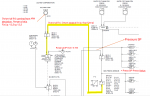
Hi everyone, i found this forum looking for information about how to set Gain and Bias parameters in a PID controller. I know the theory of how this controller works, but looking in the control sheets in DCS (Ovation) its hard for me to understad the parameters configurated. Here is an example:
  • PV range: -100 to 100
  • SP range: 0 to 100
  • PVGain: 0,12
  • PVBias: 0
  • SPTG: 0,12
  • SPTB: 0
  • TPSC=18
  • BTSC= -15
For what i read on the Ovation online help, GAIN & BIAS are used to normalize the process or SP variable to a 0 to 100 % value, but in the example above i can't understand how they did it.
Regards and thanks a lot for your time.
 
Those Gain and Bias fields aren't tuning parameters they're a straight linear scale (percent = EU × Gain + Bias) that maps your PV and SP onto the common 0–100% span the algorithm actually does its math on. So the real question isn't PID at all, it is generally what two numbers put my point's range onto 0–100%. For a point that should read 0% at the bottom of range and 100% at the top: Gain = 100 / (high range − low range), and Bias = −(low range) × Gain. If you run that against your own endpoints as a check, plug the low and high of the PV range into EU × Gain + Bias, you should land exactly on 0 and 100.

Here's one simple thing to think it better, a PV range of −100 to 100 does not produce Gain 0.12 / Bias 0. That pair maps a zero-based point running to about 833 EU full scale (100 / 0.12), whereas −100…+100 would need roughly Gain 0.5 / Bias 50. So before working the example, pull the point record and confirm the engineering range the transmitter is actually scaled to, I'd 100% bet the −100 to 100 what you mentioned is not the range the algorithm is seeing.

Same exercise on SPTG/SPTB for the setpoint.

One more important thing is to confirm the direction of the scale on your algorithm sheet, if your revision applies it as percent = (EU − Bias) × Gain, the sign on Bias flips, so trust the endpoint check over any formula.
 
Top