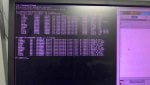
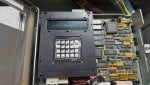
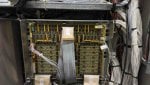
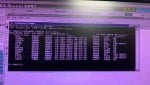
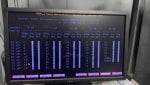
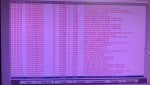
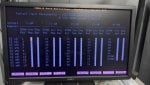
Mark V, C-cores stays at A6

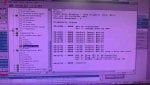
Recently in our GT (FR6B), the maintenance team replaced the starting diesel engine VR-13 and adjusted the governor. After restarting the unit, during startup, it tripped on an overspeed alarm(the unit did not even reach 2% speed), and the HMI behaved strangely. Consequently, the maintenance team decided to reboot the C core. However, after the hard reboot, the C core did not revert to A7 but remained at A6.

The following actions were taken:

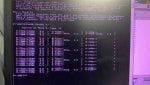
  • Checked the IO states of all cards using LCC, all were in A6.
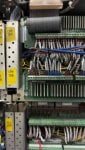
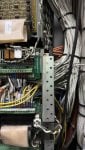
  • Inspected all ribbon cables; no abnormalities were found.
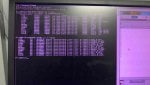
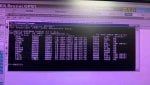
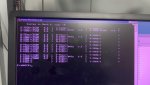
  • Card_ID.exe checked with IO configurator and all are the same
  • Attempted "EEPROM DOWN T3 C ALL" and rebooted, but C core remained at A6.
  • Replaced the TCPS card with a new one, but the C core stayed at A6.
  • Replaced TCCA card with a new one, result remained at A6.
  • Swapped SDCC card from D core (C EEPROM chip replaced), which allowed C core to reach A7, but the LCC display showed "D-A7_22% 16.03.26" and the HMI remained inactive.
  • Tested the C core SDCC card in D controller; it stayed at A6 (LCC displayed -C instead of D).
  • as of now, we don't have a new SDCC card we have only -DS200SDCCG5
If I replace DS200SDCCG5AHD with a new one, what should I do if LCC displays "D" instead of C core? Are there any other methods I missed?

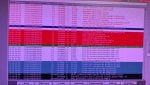
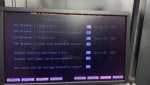
LCC alarms(6 DCC ERRORS);
  • QST DPM TIMEOUT
  • MISSING IO CARD
  • IO CFG BAD RESP
  • IO CFG FAILED
  • DCC IO RESET
 

Attachments

Generally, one of <R>,<S> or <T> must be at A7 before <C> (or <D>) can go from A6 to A7. A6 means the card or processor has booted properly and is ready to write to its outputs. And, as written, in the case of <C> or (<D>) they are waiting for a signal from one of the control processors indicating it is at A7 before <C> or (<D>) will then change to A7 and start writing to its outputs.

So, it would seem that the signal from <R>, <S> or <T> is not getting to <C> or (<D>). OR the SDCC is having difficulty “recognizing” the signal (the chip(s) in the communication loop(s) aren’t working properly.

When something like this happens it can often be traced to corrosion on ribbon cable connectors and receptacles —including two-conductor ARCnet/IONET connectors and receptacles. The materials used by the OEM are known to develop corrosion that prohibits proper data transfer. The OEM and other providers of Mark* V I/O cards usually provide small tubes of conductive grease to apply to ribbon cable connectors when a card is being replaced. It’s also a highly recommended practice to renew the application of conductive grease on ALL connectors approximately every two years—especially if the area where the equipment is in service regularly experiences high humidity and/or dust from traffic or airborne particles/gases from nearby industrial plants. Applying too much conductive grease is almost worse than no conductive grease. A thin, light smear of grease on the ribbon cable connector covering the openings is all that’s required. Once the conductive grease has been applied the connector should be inserted into the receptacle and gently removed and reinserted two or three times to make sure it gets transferred to the pins and connector
internals. Again, this should be a regular maintenance procedure for Mark* V turbine control panels.

The affected ribbon cable connectors/receptacles in this thread may not be (probably aren’t) on the SDCCs being replaced, but on the other ends the cables. It’s strongly recommended to properly power down the Mark* V and apply conductive grease to ALL the ribbon cable connectors as described above and then properly re-apply power to the Mark* V and the internal processors and components ESPECIALLY if it’s been a long time since conductive grease was applied (if ever). It’s not necessary to remove any cards, but work on one ribbon cable of a single card in a processor at a time, in a logical manner, processor by processor, card by card, taking care to properly reinsert the cables (cable trace to Pin 1 of the receptacle).

Based on the information provided, this is what I would recommend. I would return the SDCCs to the processors they were found in and try this solution while obtaining a new SDCC (or two).
 
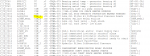
See attached. Also, does this unit have a <CD> core? If so, Panel Revision List isn't returning a TCDA card for <C>.

Edit;
Swapping a DCC out of <D> into <C> doesn't make it a <C> core. You have to use the LCC pinpad to change its VOTER ID and STAGELINK ID. Voter ID is the core designation and STAGELINK ID is the arcnet address. You have to tell the DCC what it is. This is in the Mk V Maint Manual GEH-5980, page 5-8 "Control Processor Startup".
 

Attachments

@White,

Good catch! That could be the reason--<C> can't find the TCDA in the <CD> core. Might be a bad <C> IONET cable, or a bad TCDA in Loc. 1 of <CD>. Since <D> doesn't (usually) have a digital I/O core it was probably at A7 before it was moved up to <C>.

There is a procedure, in the Mark* V Maintenance Manual, GEH-5980, for setting the StageLink ID of a processor which could be used in a pinch. But best to get that "missing" TCDA for <C> sorted. Could still be corroded connector pins at either end of the IONET cable. Or someone may have incorrectly set the hardware jumpers on the TCDA card (and we weren't told about that).
 
@WTF? ,@White ,

  1. The SDCC card from D core was transferred to C and configured (with Voter ID and stage link ID). Initially able to reach A4 state, upon reaching A4 state again, 'EEPROM down T3 C ALL' was performed, enabling it to reach A7. However, upon reaching A7, output control remained not functional (generator temperature page, bearing drain thermocouples page, wheel space temperature pages not showing values, and ratchet unable to rotate), with CD-core LED light continuously illuminated. Consequently, the C core underwent a hard reboot but got stuck again at A6.
  • Subsequently, new TCPS and TCCA cards were replaced, resulting in the system remaining at A6.
  • is there CD -TCDA card will affect the C core A6? can I change TCDA -CD and try?
 
@vscontrol,

In the Mark* V configuration all of a processor's I/O cards (the 8-1/2"x11" cards used inside the cores) ARE NOT all contained in the processor core. In the case of <C>, it's digital I/O card (TCDA) is located in the <CD> core, which is usually at the bottom of the column which <C> core is at the top of (below the <PD> core).

So, yes, replacing the TCDA card in Loc. 1 of the <CD> core might resolve the problem--BUT, you would need to use the EEPROM Downloader to configure the card, AND if the comm link (<C>'s IONET) is not working, that's not going to result in a working core.

One thing you can do which would help us is to look at the LED bargraph of the TCDA in Loc. 1 of <CD> and observe the pattern of flashing. Then open the door of <QD1> (and <QD2> if present) and compare the flashing patterns and rates of the three TCDA cards in Loc. 1 and tell us what you observe. If all communication with <C> and <R>, <S> & <T> are good, they will all flash at the same rate AND the same pattern. If the rate and/or pattern of the LED bargraph flashes on the TCDA in Loc. 1 of <CD> are unlike those of <QD1> (and <QD2>) if present) that would indicate there is some problem with <C>'s IONET communication with the TCDA in Loc. 1 of <CD>.

There is a two-conductor twisted, UNshielded cable that connects the TCDA in Loc. 1 of <CD> to <C>, but I don't recall which card the cable connects to in <C> (though I think it's the TCCA card, but it's been a long time and I don't have access to any of my files at this time). I would start by removing power to <C> (which also kills the power to <CD>) and simply trying to unplug the IONET cable from it's receptacle on the TCDA card and plugging it back in--several times. A light smear of conductive grease (which can usually be found in a small tube in a spare I/O card box) applied to the connector on the end of the cable would also be recommended.

Again, if it were me, I would then search around in the <C> core, to find the other end of the <C> IONET cable and do the same thing--unplug it and plug it back in, several times, applying a smear of conductive grease to the connector on the end of the cable. And then apply power to the <C> core.

If you've found the IONET cable in <C> then you know what I/O card it is connected to in <C>, and its possible that I/O card might be the problem, so replacing it might resolve the problem.

Finally, there are ribbon cables which connect all the I/O cards--including the SLCC daughterboard mounted on the SDCC card. All of these cables should be firmly pressed into their receptacles; it would be ideal, when <C> is powered-down to carefull remove the cables from their receptacles, apply a little conductive grease to the ribbon cable connector (one cable at a time on each I/O card) and firmly press the connector back into its receptacle. Unplug the connector a few times (two or three) and plug it back in to the receptacle, making sure it's firmly seated when finished (not gorilla tight--just firmly seated). NOTICE: the 3PL cable that connects the SDCC to the SLCC and to other possible cards in <C> DOES NOT have pull tabs. So when removing the 3PL cable connectors from their receptacles use good care not to damage the connectors.

I STRONGLY recommend doing the above steps one at a time--instead of "shotgun" fashion. In this manner you will discover what the root cause of the problem was. Doing them all at once will not yield the root cause of the problem even if it solves the issue.
 
@WTF?
It was noticed that the CD-TCDA card flashing did not match with the other cards. Consequently, it was replaced with a new card, and C successfully transitioned to A7. However, after the C core reached A7, numerous alarms were received and abnormal activity in the Ratchet operation. Despite performing a hard reboot on the C core, the alarms persisted.

Due to the unavailable of spare following cards have been replaced,

  • C-core reached A7
  • DS200TCDAH1BHD replaced with DS200TCDAH1BGD
  • DS200TBAG1AAA card power supply isolates and received new alarms
  • DS200TBBG1ABB card power supply isolates and no new alarms were received
  • all the current alarms are from DS200TBBG1ABB
 

Attachments

@vscontrol,

Well, some progress was made.

The Process Alarms from the Alarm Display seem to indicate that the digital (contact) inputs to (and possibly discrete (contact) outputs from) the <CD> core are still not being recognized by the Mark* V (maybe only <C>, but possibly <R>, <S> & <T> as well).

Most people would assume the Hydraulic Ratchet and Starting Means inputs and outputs would mostly be connected to <Q> (<R>, <S> & <T>) because to anyone but GE they are critical I/O. BUT, not to GE. GE is only concerned about normal, full speed operation and the I/O required to maintain and protect a machine running at FSNL. So, that's why you see a lot of <CD> input/output-related Process Alarms in the Alarm Display.

Have you tried manually toggling one of the <CD> contact inputs (from logic 0 to logic 1, and from logic 1 to logic 0--or vice versa) from the device itself? For example, you say the machine has a diesel starting motor, so it probably has a Hydraulic Ratchet Jog pushbutton in the Accessory Compartment (43HR-JOG). Call up the related logic signal on the Logic Forcing display and have someone in the Accessory Compartment press and hold in the Hydraulic Ratchet Jog pushbutton in the Accessory Compartment and see what the related logic signal does. I think the related logic signal is L43HRJOG, or something very similar, and you should most likely find it to be a logic 0 when you call it up on the Logic Forcing display. When someone presses the Hydraulic Ratchet Jog pushbutton in the Accessory Compartment and holds it in for a few seconds (say, five or even ten seconds) the logic signal should change to a logic 1 and remain a logic 1 as long as the pushbutton is held in. When the Hydraulic Ratchet Jog pushbutton is released, the logic signal should return to and remain at logic 0.

You said this all started after VR-13 was replaced. I don't have a Device Summary or Starting Means P&ID to look at, but VR-13 is a relief valve (Valve Relief) and I don't think it has any connection to the Mark* V (it doesn't have any wires connected to it???)--BUT I've been wrong before and I could be wrong again. I'm suspecting I may be wrong, and that it's possible that a wire somehow was shorted to another wire or somehow grounded and blew a fuse (or two) in the <PD> core. The loss of contact input "excitation" voltage is about the only thing I can think of that would cause so many <CD> contact inputs to not be indicating properly at the same time--and for normal sequencing functions (hydraulic ratchet operation) to be not working properly.

One of the things I would also recommend is using the Logic Forcing display to view the logic signal L62CD and if it's a logic 1 then have the operator go to the display that allows one to deselect COOLDOWN operation (by clicking on the COOLDOWN OFF target/button). This should result in several of the Hydraulic Ratchet Process Alarms going to "normal" status (because the Mark* V is not trying to operate the hydraulic ratchet).

I suspect that a few clear pictures of the Diagnostic Alarms will help us tremendously--at least they should. I, again, suspect that one of the problems is a blown fuse or two in the <PD> core, that is feeding the <CD> core (inputs and outputs--solenoid outputs, that is). If there are blown fuses in the <PD> core, there should be some LEDs indicating the fuses are blown (either green LEDs ARE NOT illuminated) or LEDs that should be green have turned red. I'm primarily speaking of the J8x and J12x cables, and I believe there should be some LEDs to indicate the fuses are good or are blown.

I would REALLY like to see the Diagnostic Alarms in the Alarm Display as well as the Process Alarms. People tend to discount and ignore Diagnostic Alarms--because they "know" that a single Diagnostic Alarm cannot trip the turbine. (BUT, certain combinations of Diagnostic Alarms CAN trip a turbine! And don't ask which combinations; there are litterally hundreds of Diagnostic Alarms for each core--it's impossible to produce a list of which Diagnostic Alarm combinations will result in a turbine trip.) But, quite often, Diagnostic Alarms will alert a technician to a problem which wasn't previously considered (such as the loss of contact input excitation voltage, for example). A serious ground or short could damage the TCDA card AND blow fuses in <CD>, and even <QD1> (and <QD2> if present). That would also explain the sheer number of Process Alarms and the failure for normal sequences (such as Cooldown (Hydraulic Ratchet) operation) to not work properly.

Personally, I'm not sure there's a problem with any I/O card in the Mark* V--it may just be a "power problem"--however it was caused (though it's odd that this apparently started after VR-13 was replaced...!).

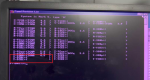
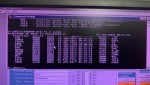
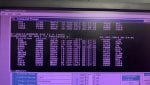
I would also like to see a copy of CARD_ID.EXE results (complete results) in a clear photograph (a couple of the photos of command prompt windows have glare in the upper part of the photo which makes reading the information very difficcult).

For the life of me, I can't remember what DS200TBA and DS200TBB cards do and where they're located, and I also don't understand the following:

  • DS200TBAG1AAA card power supply isolates and received new alarms
  • DS200TBBG1ABB card power supply isolates and no new alarms were received
  • all the current alarms are from DS200TBBG1ABB

Can you please clarify where the two cards are located (perhaps send photos), and what you mean by "...power supply isolates..."? I'm very confused, and I don't have all my Mark* V materials with me at this time.

If you know how, I would also like to know what the incoming DC power supply "split" is. That is, using a voltmeter on the incoming DC terminals in the <{D> core and measuring each of the DC input terminals to ground what the two voltage readings are.
 
Hi,
  • I have attached some more photos for your reference and will update by tomorrow. (I will try to send clearer photos by tomorrow.)
  • DS200DTBA/DTBB is part of the CD core (so I removed the power supply of DTBA and DTBB to verify the operation).
  • Out of the 3 cores (DTBA, DTBB, and DTBC), only DTBB does not respond to power supply isolation or plug-in power supply.( Receive new alarms during the simulation of DTBA and DTBC and all other existing alarms belong to DTBB)
  • CD-DS200TCDAH1BHD was replaced with DS200TCDAH1BGD.(I replaced the new card with a lower revision card compared with the existing one; is this okay?)
  • I will check the VR-13 and diesel engine governor areas for any possible cable damage.
  • I will jog (43HR) ratchet and update the results by tomorrow.

and Thanks for your guidance.
 

Attachments

@vscontrol,

DTBA, DTBB, DTBC (and probably DTBD) Okay.

It's been written before on Control.com--many times--it's not a good idea to trust DIAGC. EVERY PROMset on EVERY CARD must have the proper .dat configuration file in order for DIAGC to work properly. Unfortunately many Mark* Vs were shipped with incorrect card configuration files--and MANY PROMsets were upgraded in the field WITHOUT a proper procedure and WITHOUT proper card configuration files. It was a great idea with a lot of potential--but the execution left a lot to be desired. A LOT!!! I don't know what you were hoping to discover using DIAGC, but there was very little written about it and how to use it and how to interpret the results (unless something has changed in the last 10-15 years--and I doubt very much that it has!) it is pretty much useless without a GE factory engineer helping to gather data and interpret the results. And I'm not one (a GE factory engineer). So, unless you can describe what you're seeing on the DIAGC displays, and what you think it's telling you, I won't guess.

I'm presuming that all of those <CD>-related Process Alarms are the result of the power being removed from the DTBA and DTBB cards. Because unplugging the power cables from the DTBA and DTBB cards would produce the same alarms as would blown fuses in the <PD> core supplying the power to the DTBA/DTBB cards.

By the way, if you want to test the Hydraulic Ratchet Jog button, the power has to be reconnected to the DTBA and DTBB cards--which should clear most of the alarms. If it doesn't, then there's something else amiss and checking the fuses in the <PD> core would be a good place to start.

Still no Diagnostic Alarms--yet I see there are TCQA LVDT regulator feedback trouble Diagnostic Alarms and vibration sensor Diagnostic Alarms. So, what else is going on????

I'm beginning to have my doubts.
 
Aside form CARD_ID or Panel Revision List, you can also check IO STATE directly from the DCC/LCC pinpad. Hit the DCC button once, the LED screen should say 186 Monitor. Use the INC or DEC buttons to reach IO STATE and hit enter. Now you can use the INC button to scroll through all of the cards/sockets to determine which has failed to reach A7.

I just had to do this today as a TCEA card had failed but it could reach A5. The problem with CARD_ID is that it only require arcnet to reach its cards and tell you revision levels. A5 means arcnet is available (go back to my previous attachment, Troubleshooting Failure to Reach A7). Card_ID would tell me this particular TCEA was there, but CARD_ID didn't know it wasn't up to A7. Locally at the LCC I could determine which card was holding me out of A7 using IO STATE. TCEA replaced as it would only get to A5 then constantly reboot. TCTG replaced as well but that's a different issue. Problem solved, unit is at A7.
 
From your CARD_ID results. Regardless of what is going on in <C>, it appears you also have issues with <T>. <R> and <S> appear to return their respective TCEA in <P> and TCDA is <QD1>. This looks like an IONET issue. IONET is twisted pair black and white arcnet daisy chain from <Q> cores, to <P> to <QD1> to <QD2> if supplied, the JX cables. As its arcnet, there are specific berg jumpers on TCEA and TCDA cards for things like arcnet address and termination resistance at the end of the daisy chain. This should all be detailed in the application manual GEH 6195 appendix A "Hardware Jumpers", and in the drawing "Case Wiring Diagram". I would supply you an example case wiring diagram but all of my Mk V units are 7FA's and I wouldn't want to add any confusion. Case wiring diagram, if you have your OEM grey books, is usually close to around the last thing in the "Gas Turbine Control Support Systems" section near the 4108 network drawing.
 

Attachments

Hi,
  • I will check the VR-13 and diesel engine governor areas for any possible cable damage. (No damages found)
  • I will jog (43HR) ratchet and update the results by tomorrow.( L43HRJOG staus changes from 1 to 0)
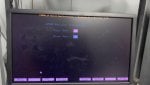
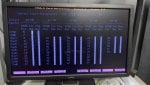
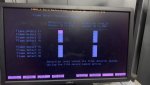
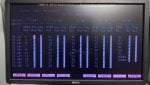
  • Compared to other units' CD-DTBA/DTBB IO configurator, I found that in this unit, CD-CDTBA/DTBB, all inputs/outputs are indicated as 1. (Please find attached.)
  • It seems that something has changed in the CD-DTBA/BB and BC IO configurator. Could you guide me on how to configure the IO configurator?
  • No new diagnostic alarms were found.
 

Attachments

@vscontrol,

I was away from home when I wrote the reply above and I couldn't see very well the photos on my phone; sorry. I see why you think something is incorrect with the <CD> TCDA card contact input configurations.

It's not going to be easy to guide you through the I/O Configuration, but we'll give it a shot, okay?

First, I need you to look in the T3 F:\UNITn folder (might be F:\UNIT1--I don't know) for some files that begin with IOCFG_x.AP1 and IOCFG_x.BAK. We are interested in the time/date stamps of the files, as well as the names of the files. You can go to a command prompt (DOS window), switch to the F: drive, then switch to the unit-specific folder/directory (e.g., F:\UNIT1, or perhaps F:\UNIT3) and type the following command at the prompt:

DIR IOCFG*.* and press ENTER

We are interested in ALL the files found. Please take a clear photo of the search results of the folder and post it to your next reply. The file date/time stamps should be on the line for each IOCFG file found, regardless of the filename extension (.AP1 or .BAK or maybe even .OLD).

I'm also pretty confused by the I/O Configurator display name for the <C> (<CD>) TCDA cards.... It reads: "TCDA_3 ...." I would expect to read "TCDA_1 ... " so that's kind of odd for me--I don't know if it means anything, but it doesn't seem correct or familiar. But, we'll press on, regardless of this (it might explain what happened, but it might not).

I believe you said you have downloaded the ALL option to <C>; please confirm or clarify. AND, you said you have left the SDCC card from <D> in <C>, just changing the StageLink ID from D to C; please confirm or clarify. I don't seem to see that you have downloaded to <C> after replacing the TCDA in <CD> with one from spares; please confirm or clarify.

Did anyone perform an UP from <C> using the EEPROM Downloader at any time during this troubleshooting exercise, particularly after replacing the TCDA card in <CD>?

There should be an I/O Configurator section for <D> (if there's a <D>, there usually is one). It's usually only used to declare the firmware revision levels as typically <D> DOES NOT HAVE any I/O associated with it. (In other words, there usually isn't a <DD> core, and there usually isn't any analog I/O connected to the CTBA card on <D>.)

Were any of the other units at your site installed at the same time as this unit which is having problems? (If so, I would expect the I/O (field devices) to be exactly the same so it might be possible to use the "Inv Mask" values from one of the units which is exactly like and was installed at the same time as this unit which is having problems.)

Has anyone made any back-up of the unit-specific folder/directory of the unit having the problems BEFORE the problems started? If so, can you find the IOCFG_C.AP1 file from the back-up?

One more question about the cards in the <CD> core? How many TCDA cards are the <CD> core? I would expect only one TCDA card would be in Loc. 1 of <CD>, but that's just an experienced guess--and I HAVE NOT SEEN every perversion of the Mark* V turbine control panel (I've seen a LOT of them, but not every one).

Finally, are you onsite as a field service person, or do you work at the site as a technician/engineer? Do you know if local technicians/engineers were working on the problem before you? Did they keep any record of what they did?
 
Hi,
  • I will check the VR-13 and diesel engine governor areas for any possible cable damage. (No damages found)
  • I will jog (43HR) ratchet and update the results by tomorrow.( L43HRJOG staus changes from 1 to 0)
  • Compared to other units' CD-DTBA/DTBB IO configurator, I found that in this unit, CD-CDTBA/DTBB, all inputs/outputs are indicated as 1. (Please find attached.)
  • It seems that something has changed in the CD-DTBA/BB and BC IO configurator. Could you guide me on how to configure the IO configurator?
  • No new diagnostic alarms were found.
There are two settings in the IO Configurator for digital inputs on the DTBA and DTBB terminal boards. 1st setting is "INV MSK", or inversion mask. 2nd setting is CHG DET, or change detect. INV MSK = 1 means the controller will interpret the inverse state of the contact, essentially an open contact will be interpreted as a high signal or a 1 in logic and a closed contact will be interpreted as a low signal or a 0 in logic.
There is a companion file for IO Config called IO.ASG. Open this with a text editor like Notepad and interrogate it. IO that has the contact mask inversion applied will be "CIM_I" and normal IO will be "CIM".

Usually contact mask inversions are applied as a fail safe. IE, I cut a signal wire in the field I want the controller to assume the worst and make, for example a pressure switch drops out, low pressure switch logic goes high and a pump or fan comes on as a result.

CHG DET = 1 means the IO is going to be detected at SOE, or sequence of events. this is set for high speed tracking of changes in contact state. This doesn't affect unit operation.

Now the extremely confusing part. You can INV MSK a normally open OR normally closed contact. You need to seriously go through the Device Summary, Logic, IO.ASG, and IO Configurator to determine which DTBA and DTBB IO needs inversion or not. Why someone would set the entire CD core to INV MSK = 1 is beyond me. Notice how your <QD> DTBA only has MSK INV set to 1 for certain IO but not others. Those are CIM_I, or inverse.

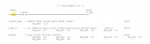
Inverse states are also sometimes just handled in logic with ---| / |---, or to say "when we don't have this signal execute logic" Second screenshot, and I'm trying to be a generic as possible so I'm going with an evap cooler valve. If I don't have an evap drain valve in position but i do have evaps selected on, give me an alarm.

Inverse states are sometimes also hardwired into the MCC. For example, if the Mk V is turned off, all of the blowers and pumps come on as a failsafe.

I honestly don't know how this unit even runs unless everything on <CD> is truly intended to be contact mask inverted.

EDIT;
I had to make a coffee and think. This unit MAY run with the <CD> core all jacked up as <CD> is intended for non critical IO. This is why the BOI, or Backup Operator Interface, bypasses <C> and interfaces directly with <R> <S> and <T>. I've had to shutdown a unit with the BOI as the <C> had died and couldn't be recovered, not fun. Still, I highly doubt the entire <CD> core is intended to be contact mask inverted.
 

Attachments

@White,

The IO.ASG file section fields for contact inputs has ZERO effect on whether an input is inverted or not--that's only defined by the value of "Inv Msk" in the I/O Configurator. In fact, one can put LOG instead of CIM or CIM_I, compile the IO.ASG file (using MK5MAKE.BAT) and it will have no effect on the inversion mask operation--because the Mark* V only uses the values in the "Inv Msk" fields in the I/O Configurator.

Many commissioning field people change inversion masks (in the I/O Configurator) and never change the value in IO.ASG. I've been yelled at by site personnel more than once because the IO.ASG inversion mask value didn't match the I/O Configuration inversion mask value and they were POSITIVELY CERTAIN there was a problem with the Mark* V. (At a couple of sites I changed all the contact input values in IO.ASG to LOG, complied the IO.ASG file, and "downloaded" it to the Mark* V just to prove what's in that IO.ASG file field doesn't mean a darn thing.)

I have been to many site where the operator demanded every single contact input have the Change Detection values set to print a message every time the contact input changed state. It can, and has been, done for many Mark* V-controlled machines.

Methinks somehow there's been some uploading and downloading of the IOCFG partitions at some point during the troubleshooting and somehow the values from <D> (which would probably be greyed out or something like that) got uploaded (perhaps when <D>'s SDCC (and U9 EEPROM) were installed in <C>.?.?.?). That would explain a lot. Also, when power was reapplied to <C> after swapping in the SDCC from <D> the values for inversion masks would be written to the TCDA at that time. And sometime, somehow those values got uploaded to the I/O Configurator's <C> section. I don't know. It's just a theory, and I like to try to understand how something like this could happen--because it's certainly odd, at least to me.

Or someone decided all the values of "Inv Msk" for <C> needed to be set to 1 for whatever reason....

I think we'll soon know when we get the IOCFG file names and time/date stamps. If there's a "recent" version of IOCFG_C.PRM file that could be used to return the <CD> "Inv Msk" values to what they were before (by a little "Batch Magic" trick).

But we need that information, and we don't always get what we ask for. (In most threads, and even to a certain extent in this one.)
 
You can also find the proper settings in IOCFG.LST. Open with notepad and search for DTBA, and find the original <CD> INV MSK settings ... provided someone hasn't overwritten it.
 
@White,

Yes, IOCFG.LST might be useful--if the file time/date stamp is anywhere near today's date. Not many people know to execute the 'List Parms' (List Parameters) or 'List Screens' options in the I/O Configurator after any changes (including LVDT feedback "calibration"). But, it should show up in the folder search @vscontrol was asked to perform and send a photo of the results....

Let's see what we get to work with!
 
@WTF? & @White,

Problem solved,

As per your instructions, I checked "EEPROM DIR T3 C IOCFG" in "R, S, T, C & D" and found recent modifications in C & D IOCFG.

I inspected TC2Krept.txt and confirmed that there are "CD-DTBA/DTBB-INV MSK" settings (CIM & CIM_I) that do not match the current IO configurator pages.

Additionally, the D Core reverted to A6 during the hard reboot.

I found unit backup files - IOCFG_C.AP1 and IOCFG_D.AP1 in C:/Unit Backup.

I decided to copy IOCFG_C.AP1 and IOCFG_D.AP1 from the backup files to F:/Unit T3, and then performed "EEPROM DOWN T3 C IOCFG" & "EEPROM DOWN T3 D IOCFG" and a hard reboot of controllers C & D. After this, everything became OK (C & D - A7), and the alarms were resolved.

Finally, are you onsite as a field service person, or do you work at the site as a technician/engineer? Do you know if local technicians/engineers were working on the problem before you? Did they keep any records of what they did?
- I am working as a Site Engineer, and the local team had made some changes before me.

I would like to say thank you for your help & this platform is a treasure to us (for non-OEM engineers)
 

Attachments

Top