Facebook
 Google
 GitHub
 Linkedin
OpenPLC Editor Just Got a Redesign: Check Out the v4.0.0 Beta Release
Explore the redesign of Autonomy's OpenPLC Editor, a user-friendly open-source platform for programming microcontrollers. With it, you can learn ladder logic and control systems for DIY or industrial projects.
Let’s face it: you’re here because you like to tinker and have either used OpenPLC in the past or are currently trying to figure out a way to transform a Raspberry Pi or other microcontroller into a PLC. That’s where the open-source control platform OpenPLC comes in. Autonomy has just released the beta version of its OpenPLC Editor v4, making the OpenPLC system even more user-friendly. In this article, we’ll discuss what has changed with OpenPLC Editor v4 and how DIYers or beginners can use this to learn ladder logic and other technical skills for control systems.
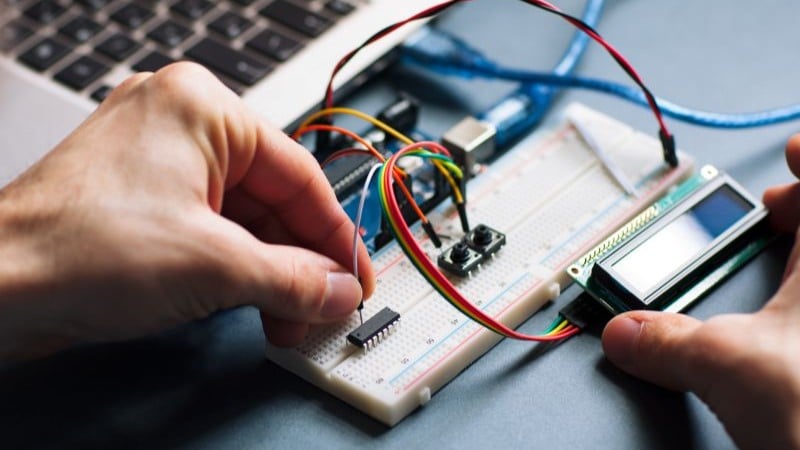
Autonomy has released the beta version of OpenPLC Editor v4, a standalone application that features a more user-friendly interface than the editor’s earlier versions. Image used courtesy of Adobe Stock
OpenPLC Editor v4: What To Expect
With the v4 Beta release, Autonomy has completely redesigned the original OpenPLC Editor into a standalone application compatible with macOS, Windows, and Linux. This new version enables users to launch the editor as a double-click executable on their preferred operating system. Additionally, Autonomy has improved the entire user interface and added support for both light and dark themes. Please note that this is a beta version for OpenPLC v4, and some features, such as FBD/SFC languages and live debugging, aren’t available at this time.
Eager To Learn Technical Skills for Control Systems?
If you have ever dealt with common control systems, you find out pretty quickly how expensive a simple system can be when you gather all of your necessary components and then still end up paying for a license for the programming software. OpenPLC, on the other hand, gives you the capability to program microcontrollers, such as an Arduino or a Raspberry Pi, according to the IEC 61131-3 standards at a much friendlier cost to your wallet. This includes ladder diagram, functional block diagram, structured text, instruction list, and sequential function chart.
OpenPLC is a free, open-source platform that allows you to control various devices, making it useful for home automation, industrial processes, or educational projects. It has two main parts.
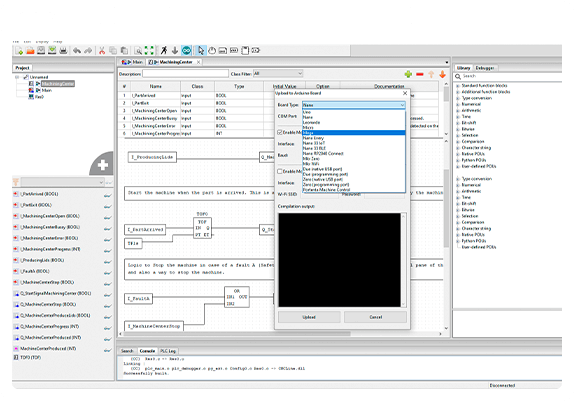
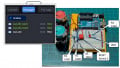
The OpenPLC Editor can be used by a variety of controllers as long as they are IEC 61131-3 compliant. Image used courtesy of Autonomy
The first component is the OpenPLC Editor, which is a program you install on your computer. This is where you can create, organize, and upload your control programs to your controller (essentially, the instructions that tell your devices what to do).
The second part is the runtime software, which runs on the controller (the device that carries out the commands) to execute these programs. Together, these components make it easier for anyone to set up and manage automated systems.
Low Cost Automation
OpenPLC is a highly effective tool; however, it is important to recognize that this software may not be compatible with every industrial PLC that adheres to the IEC standard. According to Autonomy, while the majority of PLCs align closely with the standard, there may be slight deviations based on specific trade values. Nevertheless, in my view, OpenPLC proves to be a cost-effective and powerful solution for research and development activities, educational purposes, and various custom applications in a home setting.