Facebook
 Google
 GitHub
 Linkedin
Universal Robots Releases UR Studio Online Simulation Tool for Cobots
The new online simulation tool from Universal Robots, UR Studio, enables users to design, simulate, and test robotic applications before deployment.
Universal Robots (UR) has launched UR Studio, a new tool for simulating and testing automation projects from the ground up. It is designed to provide users with rapid, flexible robotic application design and deployment in industrial environments. UR Studio is established on UR’s PolyScope X automation platform.
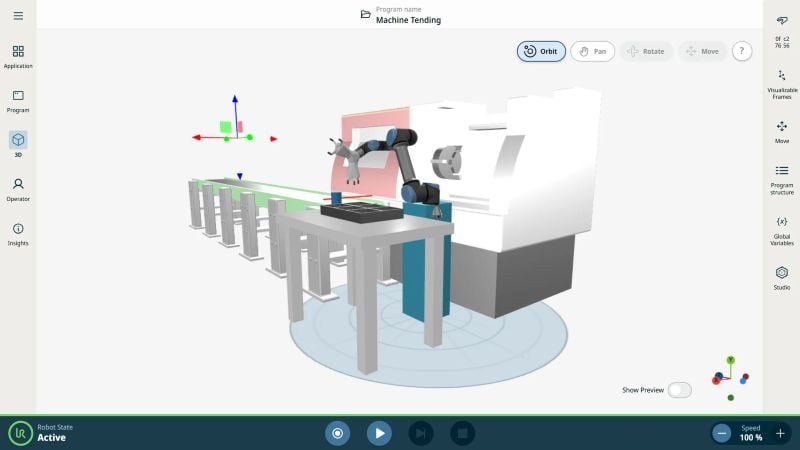
UR’s new online simulation tool can be accessed by simply going to the company’s UR Studio website. Image used courtesy of Universal Robots
UR Studio Online Simulation Tool
Using UR Studio starts with logging into your UR Studio account on a web browser, for which no setup or installation is needed. Users are presented with a variety of simulation tools, an intuitive user interface, and a drag-and-drop robotic application setup to allow different components to be added and positioned with precision. Customers can adapt their virtual environment one component at a time, adding robots, modules, end effectors, all while adjusting movement, positioning, and reach to optimize their application for optimum efficiency in a real-world industrial setting.
Virtual testing ensures that users select an optimum reach, position components to avoid collisions with parts and other equipment, maximize speed, and make the most of potentially limited floor space. Identifying issues before they arise in a real-world setting reduces costly rework and materials costs, streamlines deployment, and minimizes unwanted downtime.

UR Studio is established on UR’s PolyScope X automation platform, which features a graphical user interface for user-friendly programming. Image used courtesy of Universal Robots
PolyScope X Software
UR Studio works as part of UR's software platform, PolyScope X. PolyScope X powers UR's teach pendant and features a user-friendly graphical interface to create and execute programs. When used in conjunction with UR Studio, users can create robotic simulations before deployment. With this configuration, users can effectively adapt UR cobots to challenging, changing production environments and offer dynamic programming for high-mix, low-volume manufacturing.
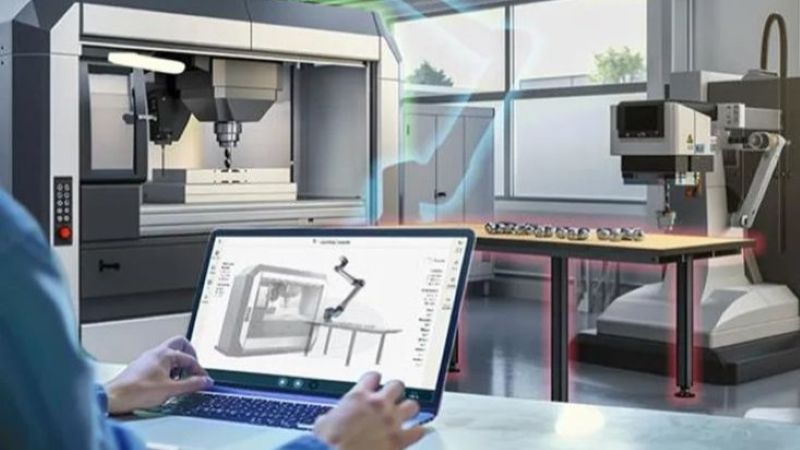
UR Studio comes with ready-made work cell templates, allowing users to get a head start and speed up the time to deployment. Image used courtesy of Universal Robots
From Design to Deployment
With UR Studio, users might construct a vision-guided pick-and-place framework that incorporates camera data, identifies the locations of objects, and actively modifies robot action. Users can also add force sensors for responsive assembly tasks, modifying real-time activities in response to input. Applications that manage camera placement, identify flaws, and classify parts appropriately might streamline quality inspection procedures.
Users might also configure robots for loading and unloading and industrial protocols for communicating with machinery to make CNC machine tending more efficient. Users can adjust palletizing workflows by modifying stacking arrangements or box dimensions.
While UR Studio is currently available in English, the software will soon be released in Spanish, German, Japanese, and Chinese.