 Facebook
 Google
 GitHub
 Linkedin
Headless HMI: What’s the Best Choice for Monitors?
Viewing data and interacting with production systems can be accomplished in a few different ways, including the classic touchscreen, a panel PC, or this device called a ‘headless HMI.’
HMI stands for human-machine interface, and it refers to a category of devices, not limited to the rectangular touchscreen that comes to mind when we picture an industrial machine cell. Technically, even a pushbutton is a kind of HMI, but we usually have a certain type of device in mind when we use the phrase, as a normal HMI has both an informational display and some form of user input.
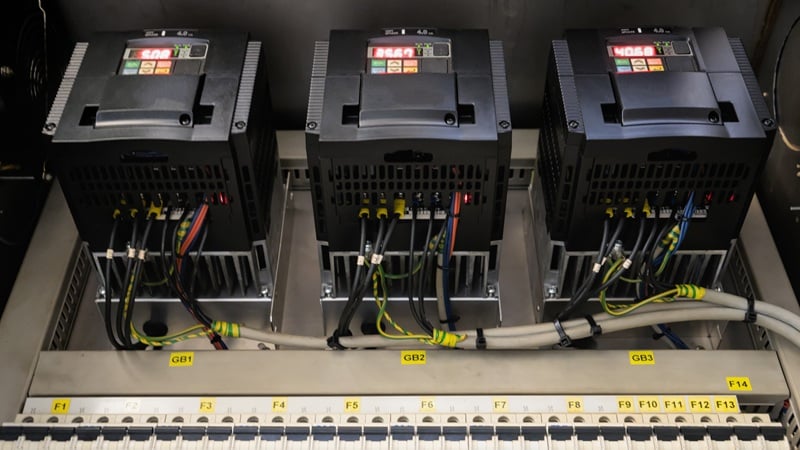
A very basic HMI can be found on a motor inverter with just some soft buttons and a 7-segment display. Any more advanced than this, and we must rely on software to develop a graphical layout as a connection to the data points to be displayed. An interesting player in this category is a so-called headless HMI, which has some features of both a legacy screen and a modern computer.
What is a Headless HMI?
A headless HMI is simply the brain (processor) that stores and runs a regular HMI program, except that it requires an external monitor over HDMI. In this way, it retains the rather simple programming interface that links tags and addresses in the PLC memory, just like any HMI IDE. However, it supports screens and monitors from small up to very large. The screen may be just a regular TV, or it may have touch screen capability.
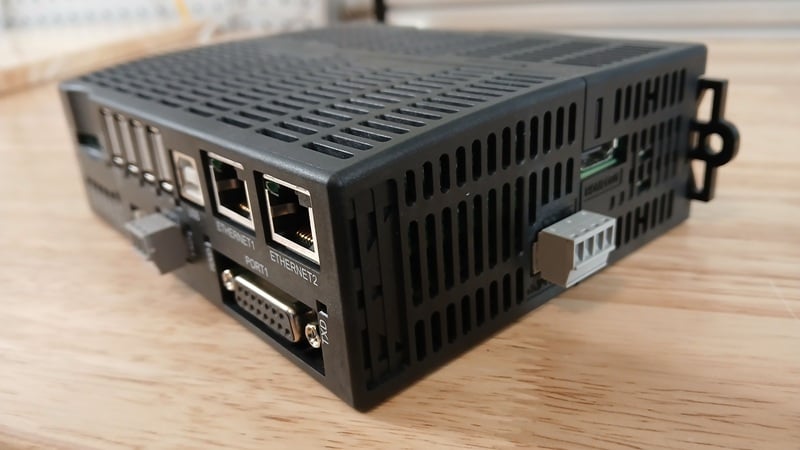
Figure 1. A headless HMI with an HDMI output. Image used courtesy of the author
Simply, a headless HMI has both a simple configuration program as well as the flexibility to accommodate nearly any screen.
Better Than a Standard HMI?
The above description sounds really good. Why would you ever buy a normal HMI if you could buy a device that contains the same features, but you can use any monitor you want? Before you jump fully on board, here are a few perks to choosing a regular HMI:
Native Touchscreen Capability. Monitors and TVs do not often have a touch interface. You can purchase one that hangs or attaches to the front and provides USB feedback, but this is a custom setup that might end up being more expensive than simply buying a touch HMI.
Industrial Ruggedness. An HDMI connection may be convenient since you can find a compatible screen at any department store (or local thrift shop), but those screens aren’t designed for an industrial environment.
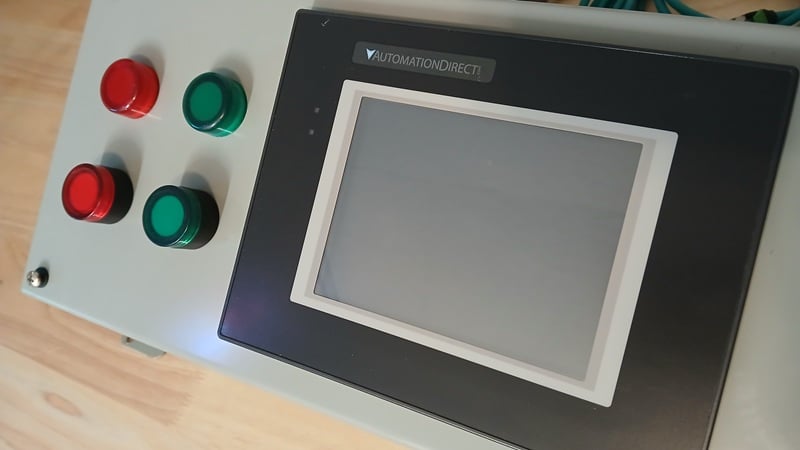
Figure 2. A standard touchscreen HMI in an enclosure. Image used courtesy of the author
Better Than a Panel PC?
A panel PC is a computer that runs Windows or Linux, and the HMI is integrated right onto the box. It looks much like a traditional HMI, but you’ll notice a few differences. Panel PCs usually have more network, USB, I/O, and even antenna connection ports, since they are actual, standard computers.
Being computers, these PCs can perform many functions that an HMI (headless or standard) cannot easily accomplish. Here are a few perks to using industrial PCs:
Connection to any Data Source. In a PLC/HMI setup, you can only retrieve tag values. On a PC, you can communicate with SCADA systems, online sources, and literally any device that can attach to a computer.
Custom User Interface. The graphical interface (GUI) in an HMI is usually limited to blocks, predefined shape libraries, and simple bitmaps. PCs can accommodate anything that could be shown on any standard monitor: live video feeds, remote connections for operators, etc.
Of course, this flexibility does come at a price. A PLC/HMI setup uses known, fixed software. A PC probably requires software downloads, licenses, and various subscription tier limits. It’s also going to be far more difficult to predict exactly which software package(s) will need to be collectively installed. All in all, PCs are great tools, but the learning curve is fairly steep.
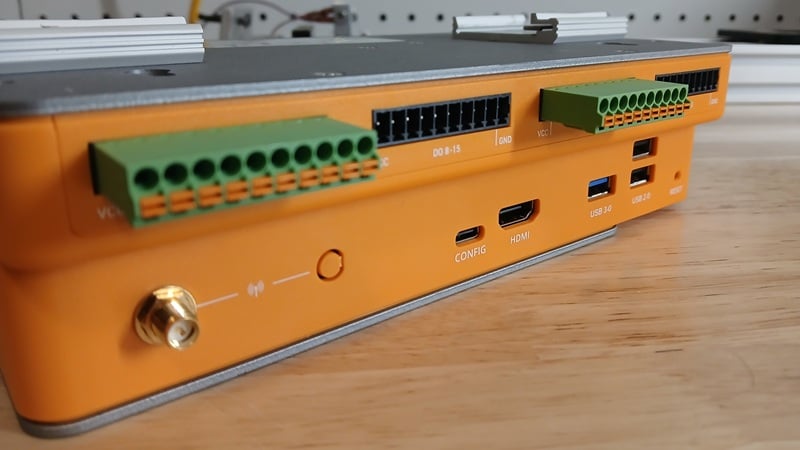
Figure 3. An industrial PC. Some IPCs include integrated screens. Image used courtesy of the author
So Where Would We Use Headless HMIs?
The headless HMI is a great idea when PLC production data is to be displayed on a monitor that is either a) too large to be of practical cost for an HMI, or b) in an office setting where a custom enclosure for an HMI doesn’t make sense.
A large screen (like a flat-screen monitor) attached to the wall is very common for displaying production metrics and targets, KPIs, and machine statuses at a distance. The headless HMI can retrieve the numbers from the PLC, and a simple graphical program can clearly display the numbers. A similarly large standard HMI would be very expensive.
Alternatively, a manager may wish to see this data similarly in an office cubicle. The headless HMI running the exact same program can be connected to the second HDMI port on the manager’s desk monitor, or to a second monitor. A custom enclosure to hold a standard HDMI would be impractical on a desk.
Best HMI?
The title promised an evaluation of the best HMI solution, but there is no such simple answer. Traditional simplicity is being replaced with complex flexibility, and each has its benefits. The headless HMI isn’t meant to replace either device, but it has been offered as a solution for a few key areas where PLC data must be shown simply on an HDMI display. For those kinds of applications, have a look at these product lines to learn more: