
 Facebook
 Google
 GitHub
 Linkedin
Online Weidmuller Configurator Simplifies Control System Design
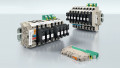
Weidmuller’s new DIN rail configurator tool provides visual design and installation instructions via a web browser. The tool aims to simplify and speed up panel design.
Weidmuller has developed a tool to help automation engineers design and build the control system they need. The Online Weidmuller Configurator is a free online resource that enables users to visually construct a control system mounted on a DIN rail. Ultimately, it aims to reduce installation time and frustration by allowing the system to be visually verified before the order is placed.
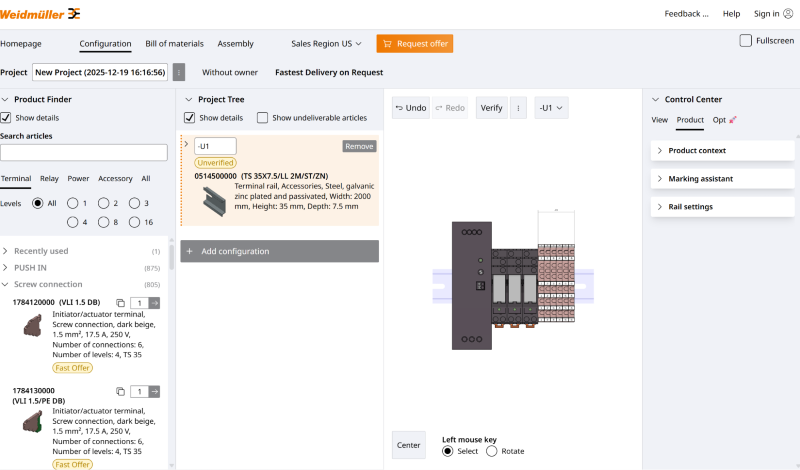
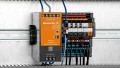
A sample control module, built with a power supply, relays, and screw terminals. Author’s image, based on the Online Weidmuller Configurator
The Online Weidmuller Configurator
The Online Weidmuller Configurator isn’t just a neat toy for making graphics. It is a tool for simplifying the design, ordering, and installation of control systems. To begin, the designer clicks on the components they would like to install, and the configurator places them on a virtual DIN rail. From there, the designer can update options, such as adding LEDs and label markers for terminals, and the graphic updates automatically.
In the configurator, there are numerous power supply, relay, and terminal options. This gives the designer a realistic view as to how much physical space each component will occupy. It also calculates the length of DIN rail required to construct the system physically.
While watching the configurator build the control system is neat, it goes a step further. When the design is complete, the designer can press a button that will download the bill of materials as a CSV file with all the required components, including the length of DIN rail required. In many cases, this will speed up the ordering process for office personnel. It saves them from having to make split-second ordering decisions or playing back-and-forth email games with design engineers.
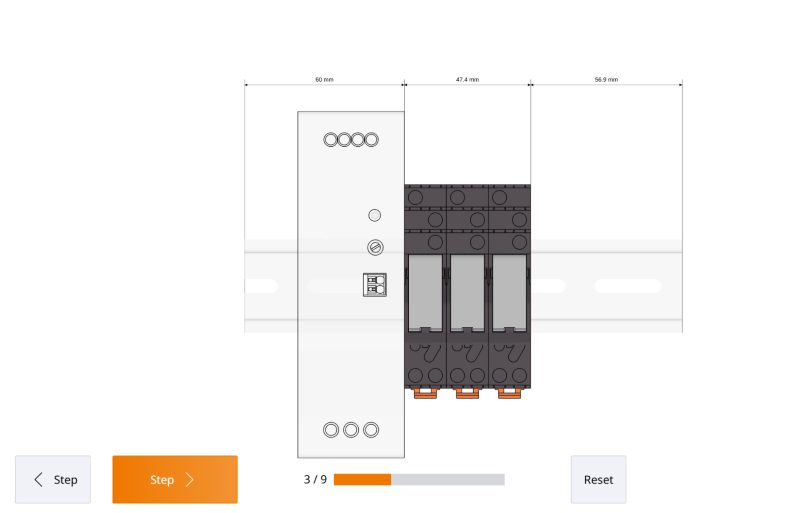
The Online Weidmuller Configurator includes step-by-step instructions for installation. Author’s image, based on the Online Weidmuller Configurator
Digital Panel Building
One of the other tabs in the configurator provides step-by-step instructions for installing the device. It shows which components need to be installed first and then how to connect additional accessories, such as optional LEDs or other components that are connected to these modules. The steps are designed to be basic enough that any technician can follow them, even if they do not have specialized electrical installation skills. With an ongoing skilled labor shortage, this is a major advantage.
This simulation software package is available as a web-based tool, so users can design their control system from any device with a web browser. The tool can be accessed without a login, but a login is required to save the designs in the Weidmuller system.
Designing DIN Rail Configurations
This DIN rail builder tool is a great way for automation engineers to build and envision their control systems before they place an order. Nothing is more frustrating than to start building a system, only to realize there is a missing component that was not ordered, or that a component does not actually fit in the allotted space. Weidmuller’s new tool gives designers the ability to select and visually inspect a system before placing the order.






Thanks for sharing this! I tried the Weidmuller Configurator recently — it really helped finalize my bill of materials faster than manual selection.